Exemple de servidor OPC UA
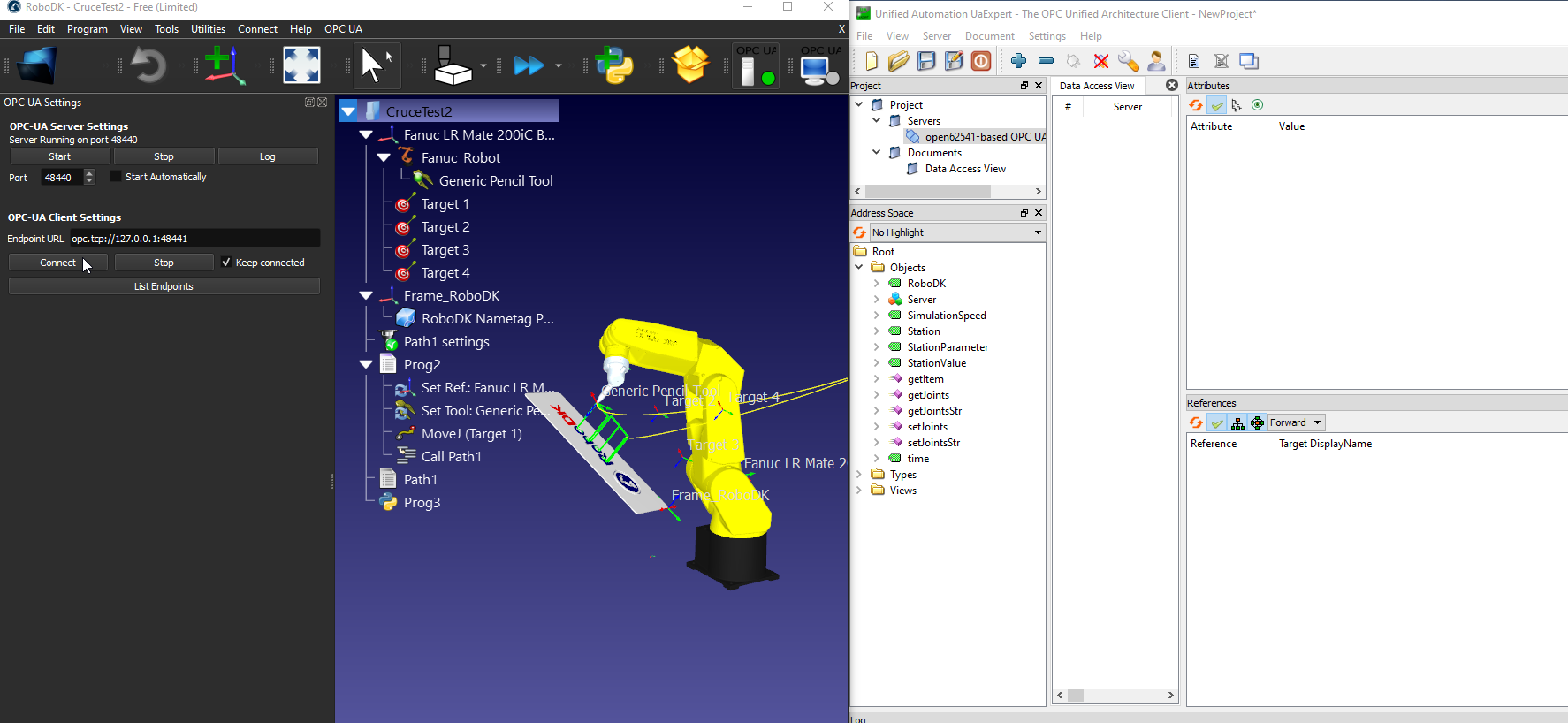
En aquest exemple aprendreu com habilitar l'add-in OPC UA i convertir RoboDK en un servidor OPC UA. Navegarem per algunes configuracions utilitzant el programari UaExpert i el Beckhoff TwinCAT3 TF6100.
Configurar el vostre servidor OPC UA
L'Add-in OPC UA us permet configurar alguns paràmetres, com ara el port del servidor. També podeu triar d'activar el servidor, desactivar-lo o iniciar-lo automàticament amb RoboDK.
Amb l'Add-in OPC UA habilitat, seleccioneu OPC UA - Configuració d'OPC-UA per configurar la vostra configuració d'OPC UA.
La pantalla de configuració d'OPC UA es mostra al costat esquerre, tal com es mostra a la imatge següent.
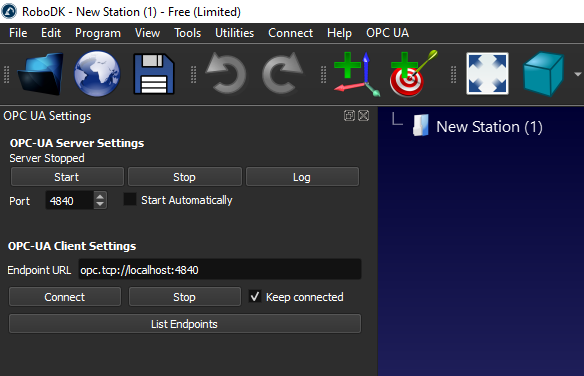
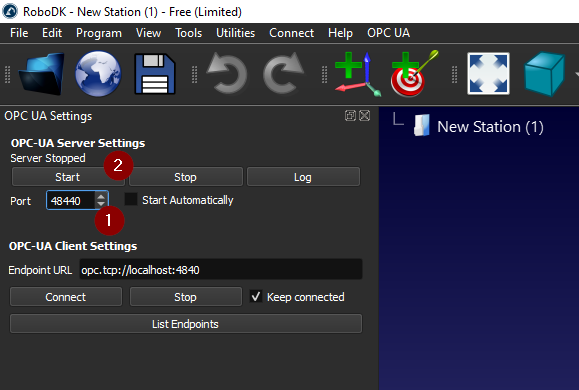
Si veieu un missatge com ara "El servidor OPC UA de RoboDK s'executa al port 4840", vol dir que el servidor OPC UA de RoboDK s'ha iniciat.
Creeu la vostra pròpia estació
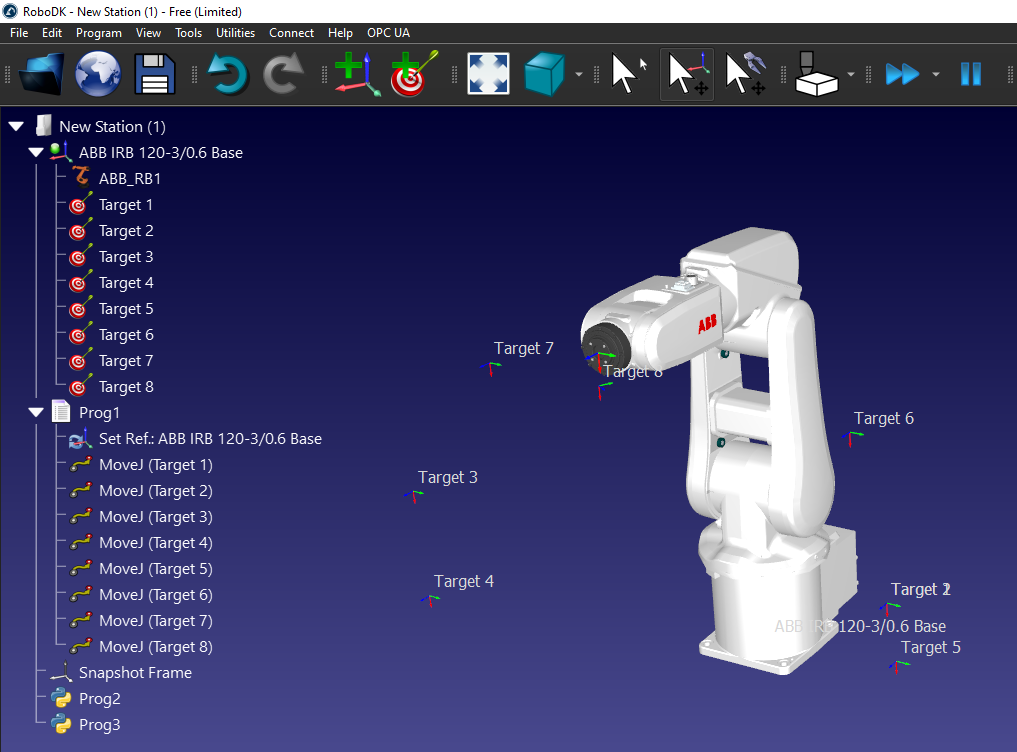
Podeu provar la connectivitat OPC UA amb qualsevol estació RoboDK que tingui un o més robots.
Implementació amb UaExpert
Podeu utilitzar el programari UaExpert per provar la connectivitat amb el servidor OPC UA de RoboDK.
Podeu descarregar la versió gratuïta del programari UaExpert des del lloc web de Unified Automation: https://www.unified-automation.com/downloads/opc-ua-clients.html.
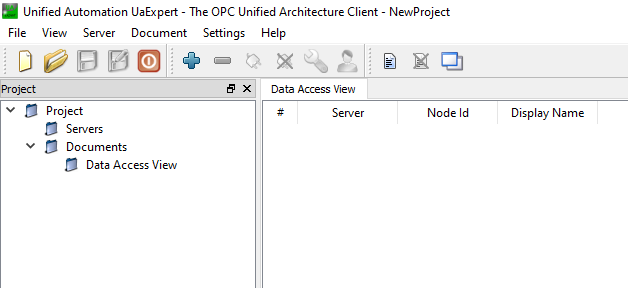
Afegiu el servidor UaExpert
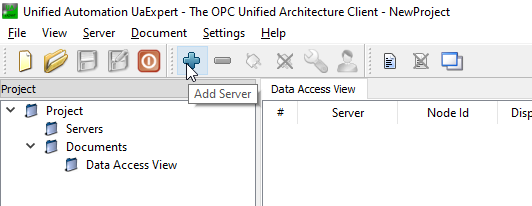
Inicieu l'UaExpert i feu clic al botó "+" per afegir el servidor OPC UA de RoboDK.
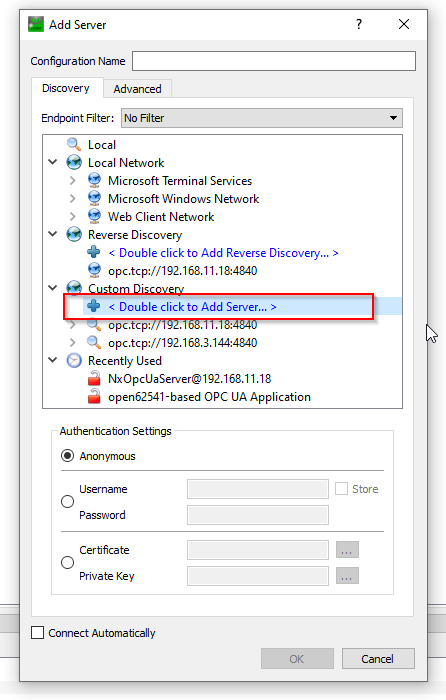
Expandiu el node Custom Discovery i seleccioneu l'opció <Double clicks to Add Server.> per afegir el servidor OPC UA de RoboDK.
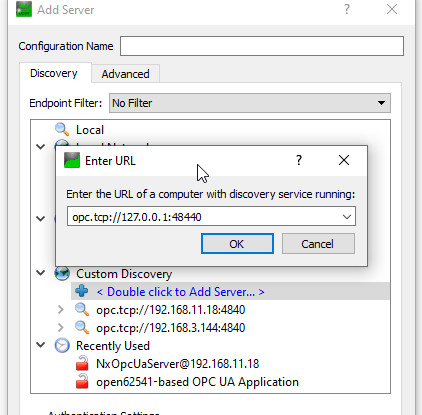
Introduïu l'URL del servidor OPC UA, opc.tcp://127.0.0.1:48440, que heu configurat a l'etapa anterior.
Connecteu el servidor OPC UA amb seguretat "None".
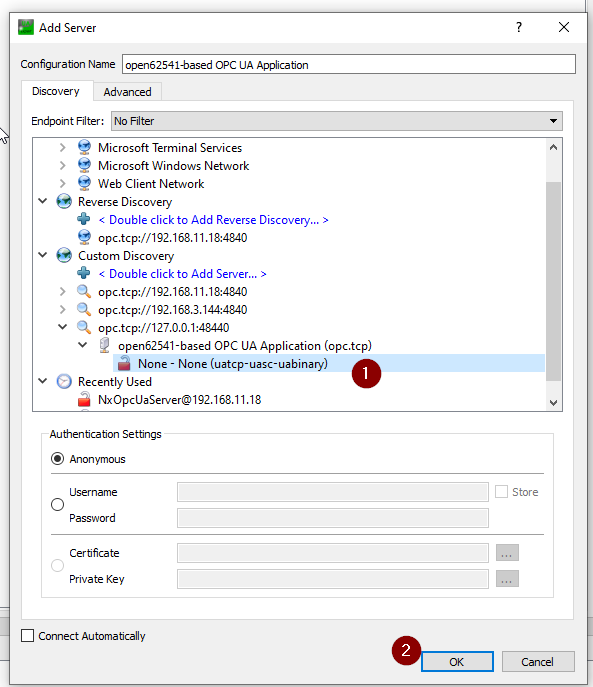
El servidor està configurat.
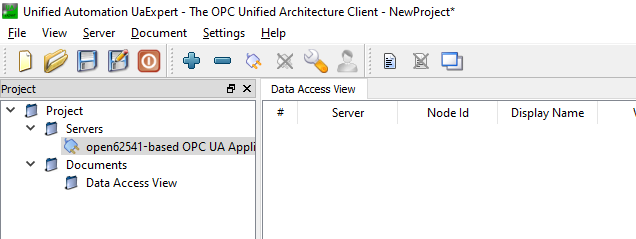
Connectar-se al servidor
Ara podeu connectar-vos al servidor OPC UA de RoboDK des de UaExpert.
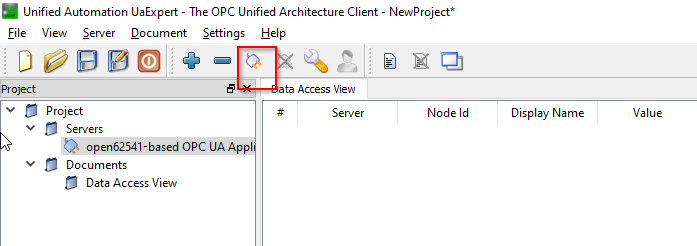
Podeu veure els Nodes i els Mètodes quan la connexió s'estableix.
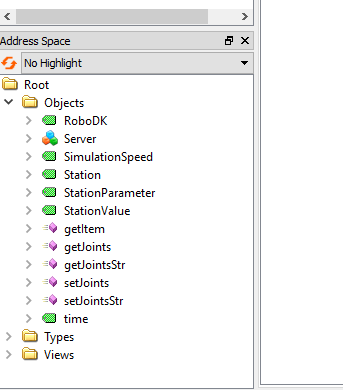
Nodes del servidor
Hi ha alguns nodes dins del servidor OPC UA de RoboDK que li permeten intercanviar informació bàsica sobre la seva estació.
RoboDK
El node RoboDK és un node que proporciona la versió actual del vostre programari RoboDK.
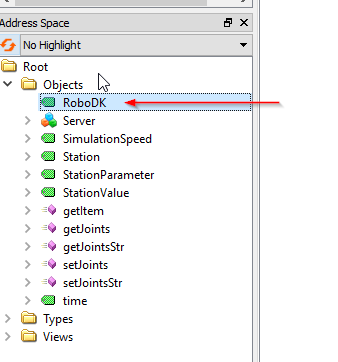
S'ha utilitzat la versió RoboDK 64 Bit v5.5.3.23031 en aquest exemple.

SimulationSpeed
SimulationSpeed és un node que mostra la velocitat de simulació real i permet a l'usuari sobreescriure la velocitat de simulació actual.
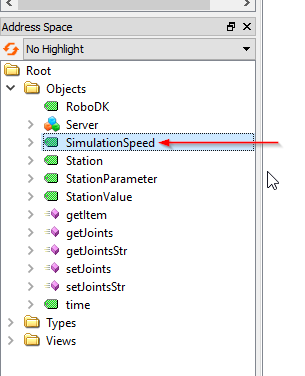
El valor del node fa referència a la barra de desplaçament de la velocitat de simulació.
La simulació actual es pot llegir des d'aquest node i es pot sobreescriure la velocitat de simulació.

Estació
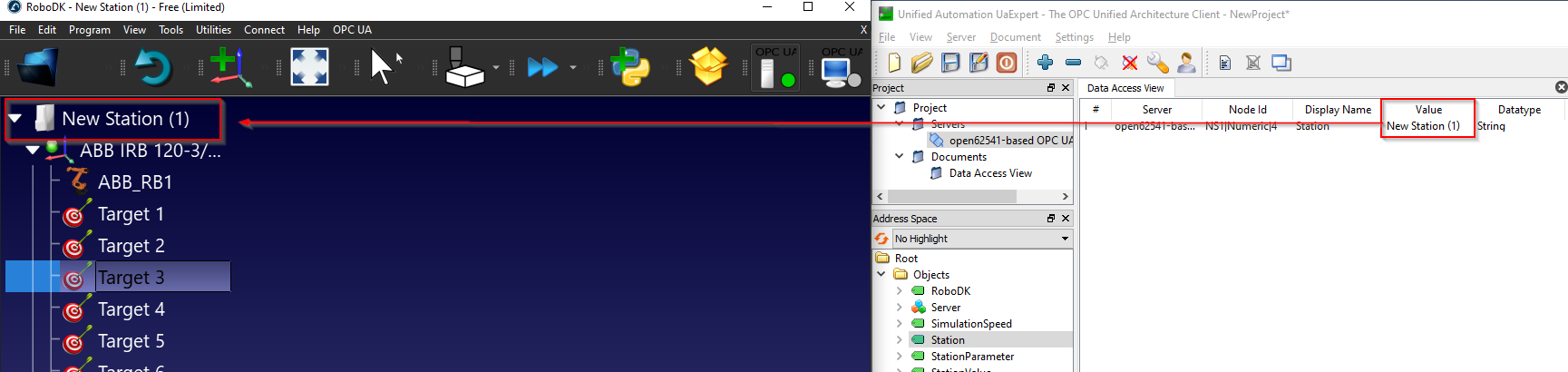
El node Station és un node que permet a l'usuari obtenir el nom actual de l'estació a RoboDK.
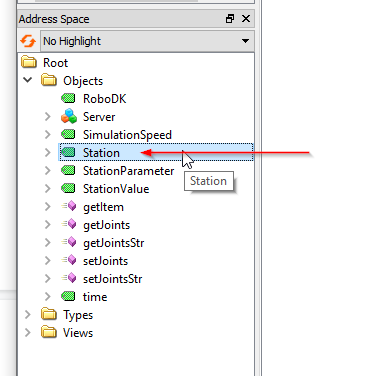
Com es veu a continuació, el node Station fa referència al vostre "Station Name" a RoboDK.
Paràmetres de l'estació/Valor de l'estació
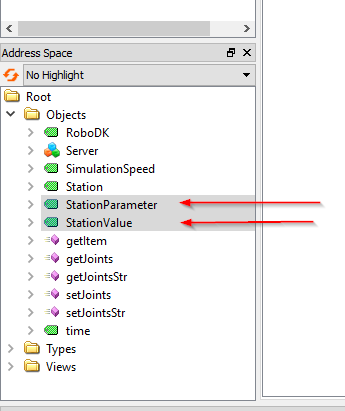
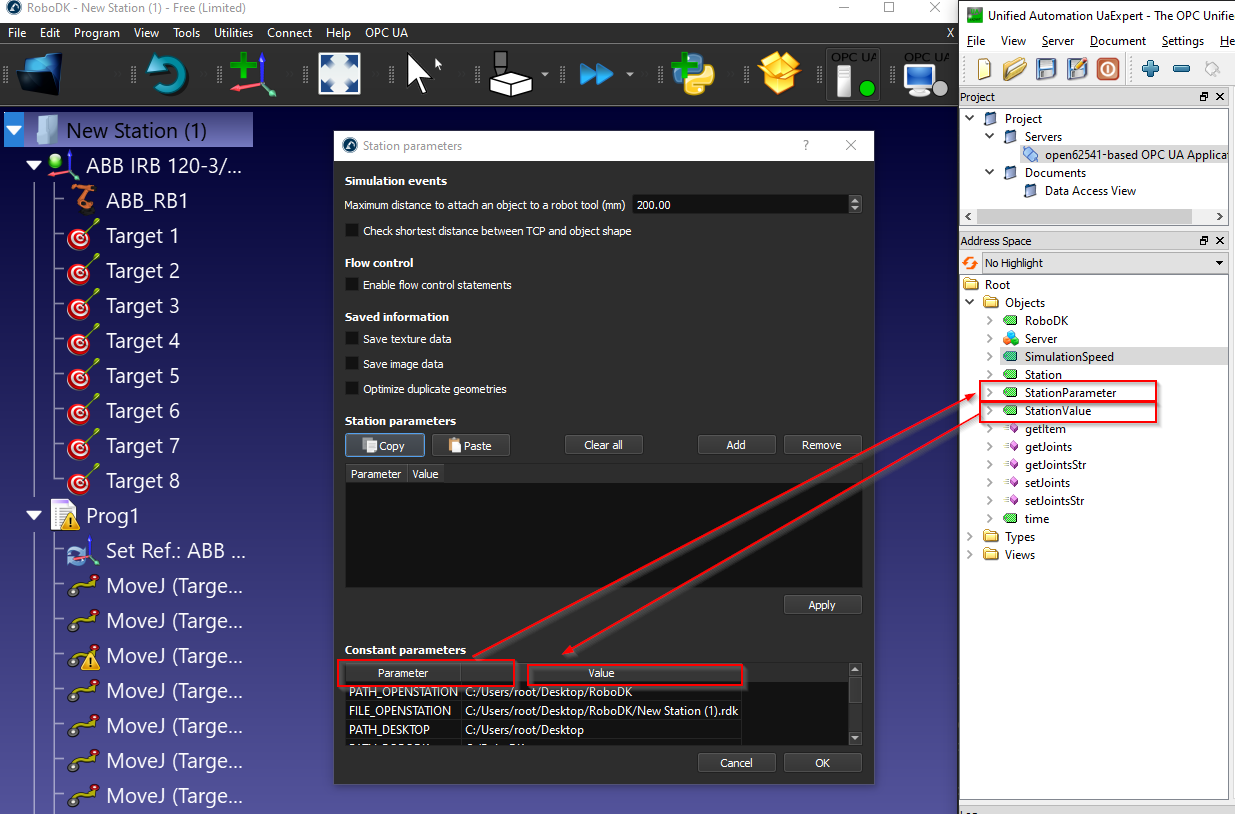
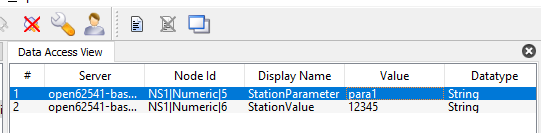
El parell de node "Station Parameter" i "Station Value" permet a l'usuari obtenir o establir qualsevol paràmetre dins de la vostra Estació. El servidor OPC UA de RoboDK monitoritzarà contínuament el valor actual de "StationParameter" i retornarà el valor d'aquest "StationParameter" des del node "Station Value".
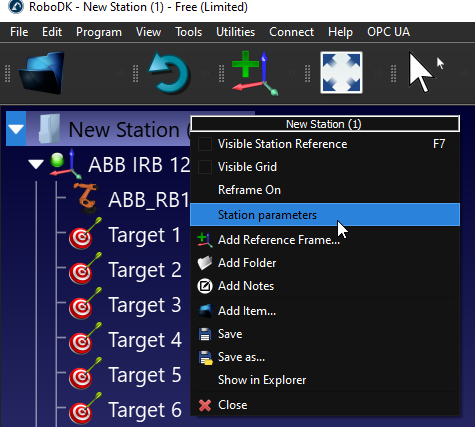
Podeu veure els paràmetres de l'estació fent clic amb el botó dret a la vostra estació de RoboDK > Paràmetres de l'estació.
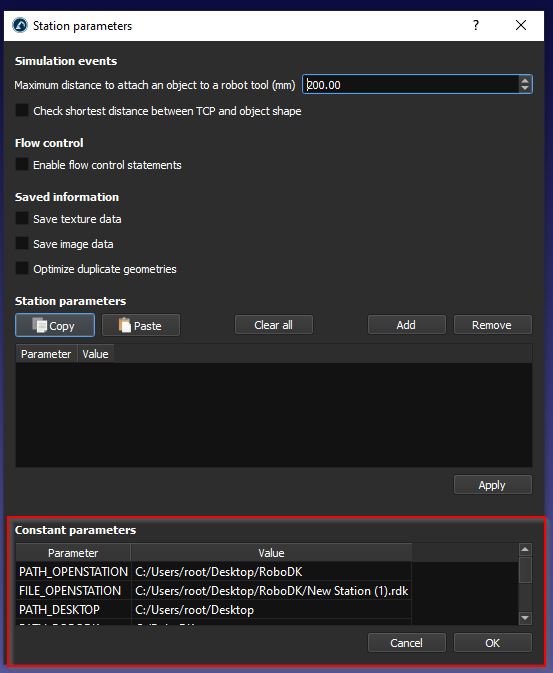
Al camp Paràmetres constants, podeu veure els paràmetres d'estació predeterminats i el seu valor.
El paràmetre d'estació es refereix al camp «Parameter» i el valor de l'estació es refereix al camp «Value».
I podem crear els nostres propis paràmetres fent clic al botó "Add".
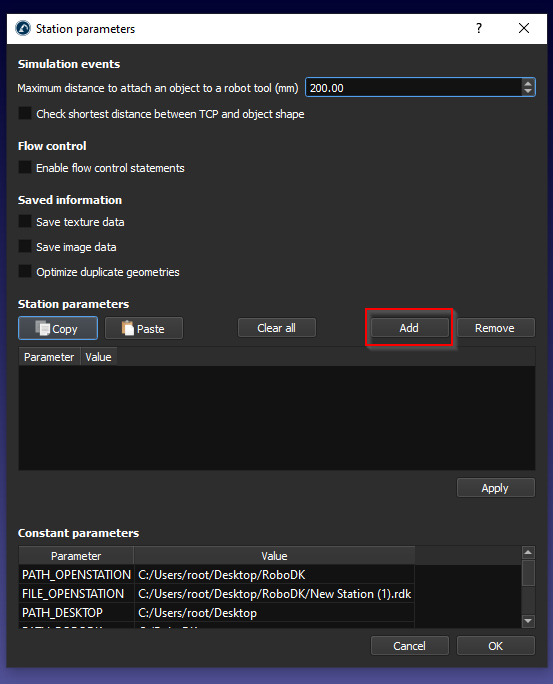
S'afegeix un nou paràmetre d'estació.
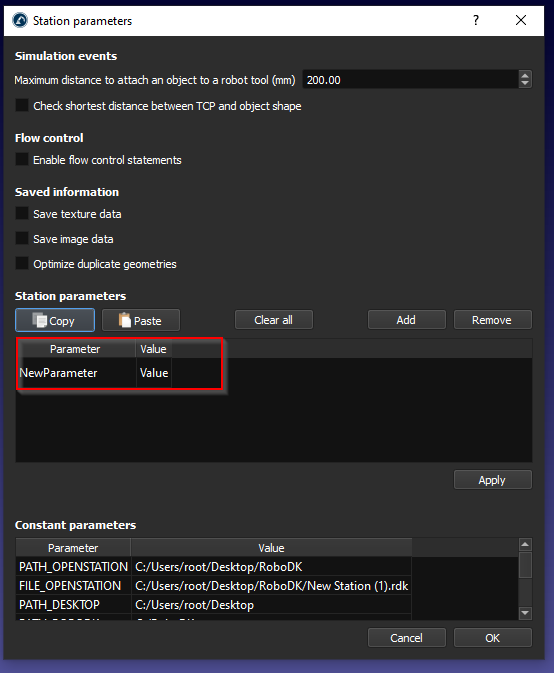
Introduïu el nom del paràmetre i el valor del paràmetre, i després feu clic a Aplica per desar-lo.
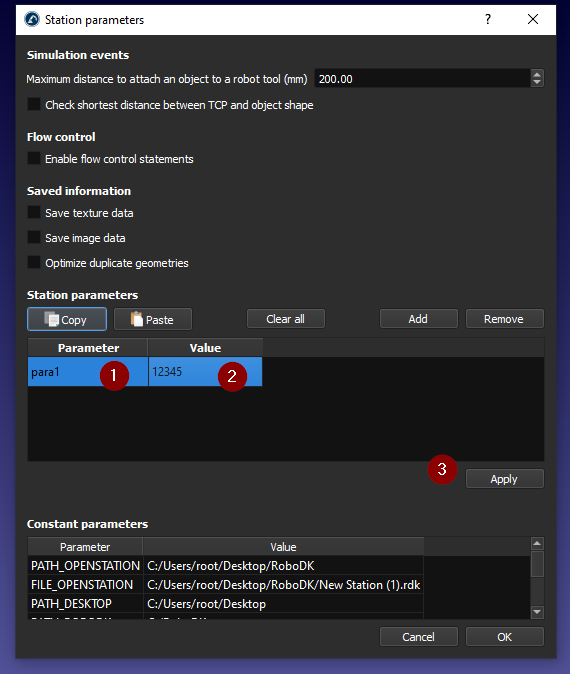
També podeu obtenir el vostre propi paràmetre d'estació.
Time
El node time és un node que permet obtenir l'hora actual de l'estació RoboDK.
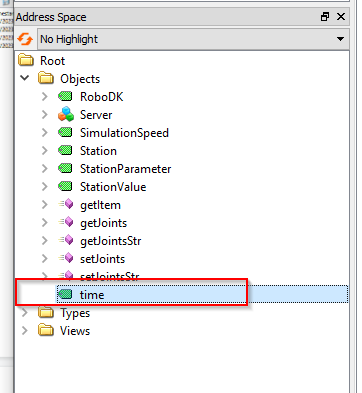
Es retorna un valor amb format DataTime.

I aquest node s'actualitza contínuament.

Mètodes
El servidor RoboDK OPC UA també disposa d'alguns mètodes per permetre a l'usuari accedir dinàmicament a les dades de l'estació RoboDK.
Només cal fer clic amb el botó dret a Method>Call per executar el mètode.
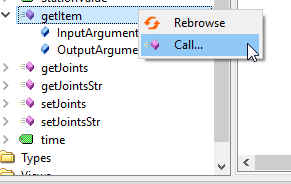
getItem
getItem és un mètode que permet a l'usuari obtenir el punter del vostre element.
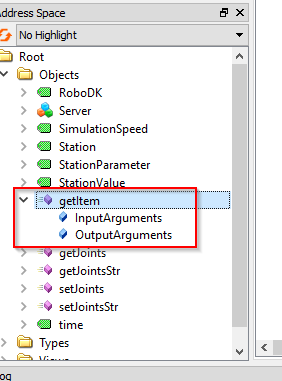
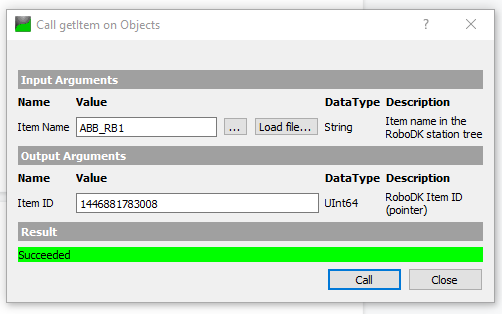
Per als InputArguments, el nom del dispositiu és obligatori; podeu imaginar que el nom del dispositiu és el nom de la vostra estació, el nom del robot, etc. L'ID de l'element és l'OutputArguments que retorna el punter d'aquest dispositiu.
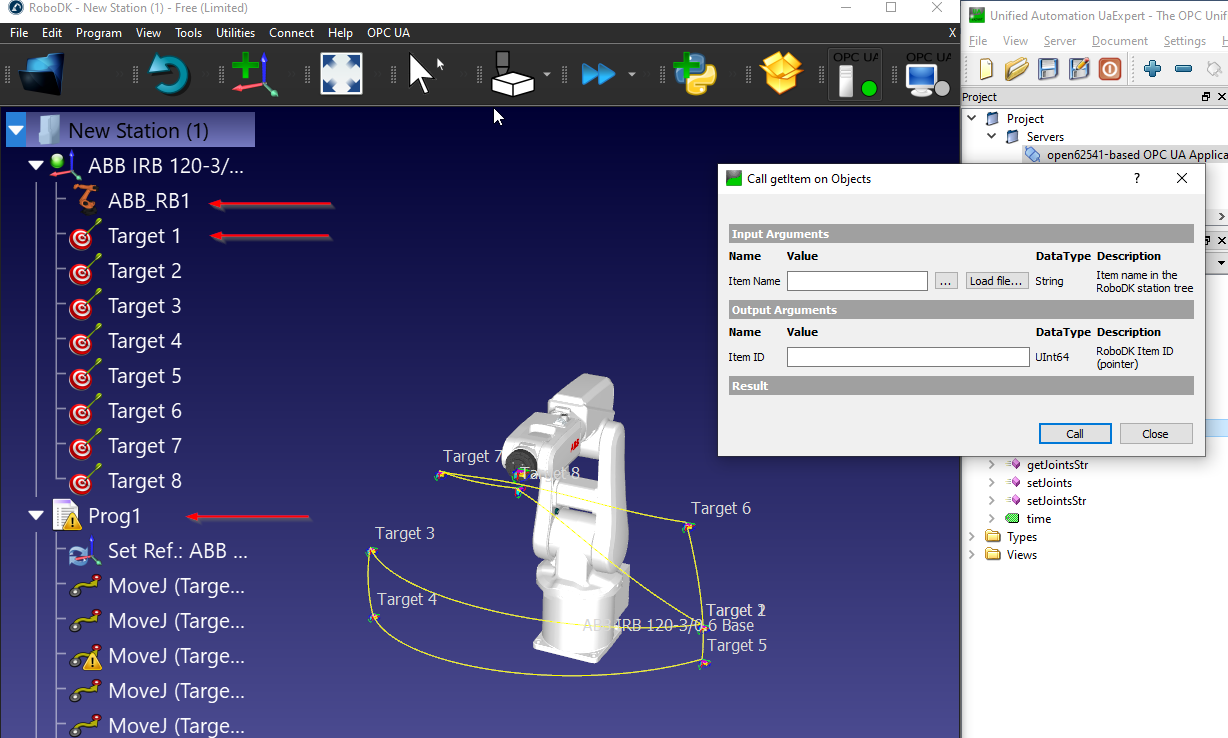
En aquest exemple, he rebut l'ID de l'element (punter) del meu robot ABB, que es diu "ABB_RB1".
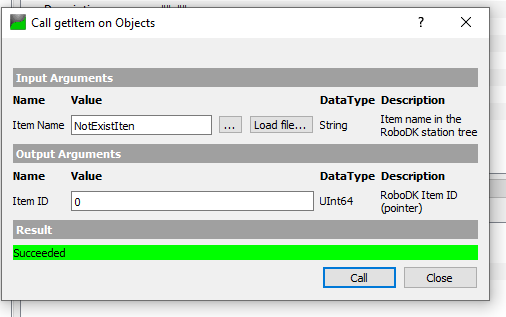
Es retorna 0 si el nom de l'element és invàlid o no existeix a la vostra estació.
getJoints
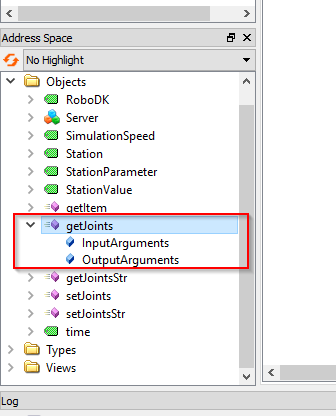
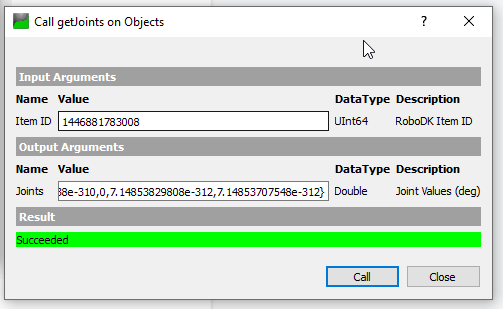
getJoints és un mètode que permet a l'usuari obtenir el valor de les articulacions del robot des de l'estació, basant-se en l'ID de l'element.
L'ID d'element és el valor de punter del vostre element i el podeu obtenir mitjançant el mètode getItem().
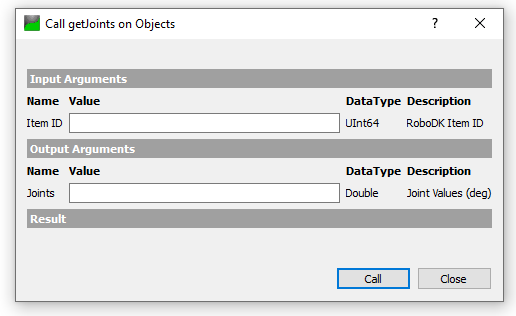
Obtindrem l'ID d'element amb aquest nom d'element "ABB_RB1" i es retorna un valor UInt64.
El valor de les articulacions es retorna en passar l'ID de l'element al mètode que vam obtenir en el pas anterior.
getJointsStr
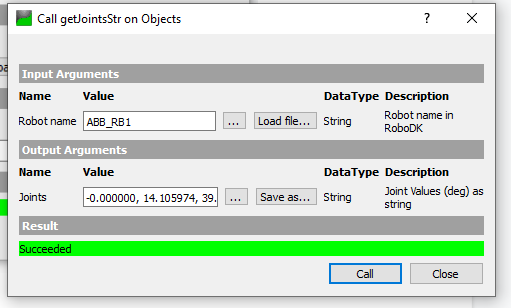
getJointsStr és un mètode que permet a l'usuari obtenir el valor de les articulacions basat en un valor de cadena.
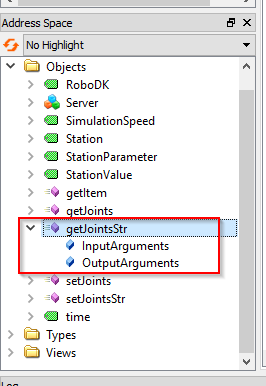
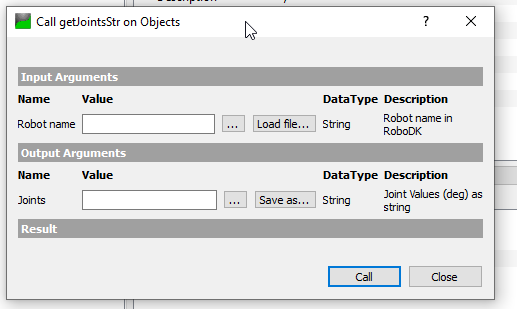
Podem passar el nom del robot (cadena) en aquest mètode.
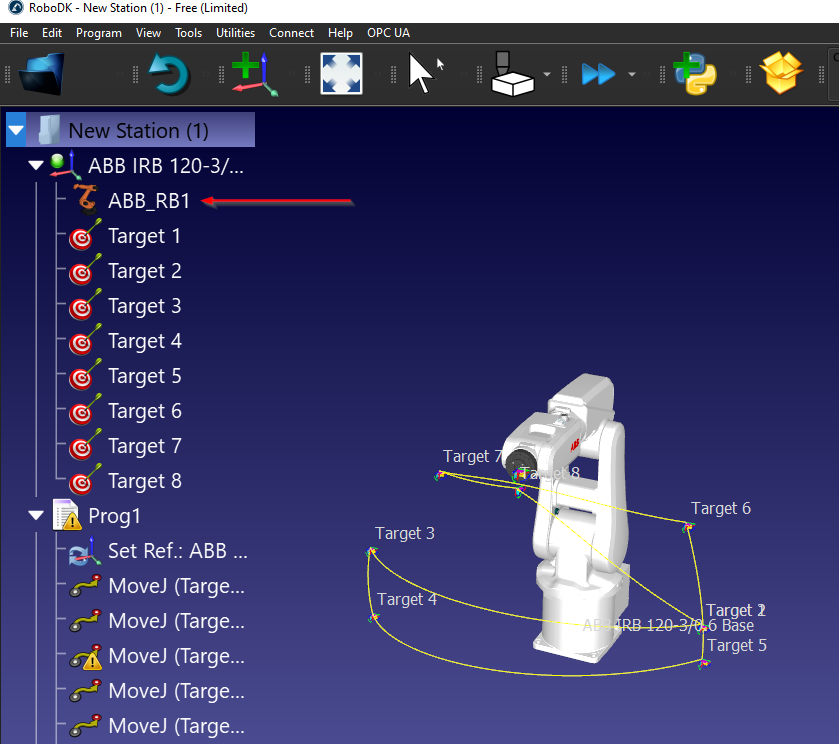
A la meva estació, ABB_RB1 és el nom del meu robot.
Només hem de passar "ABB_RB1" al paràmetre del nom del robot i cridar el mètode: es retorna el valor de les articulacions en format de cadena.
setJointsStr
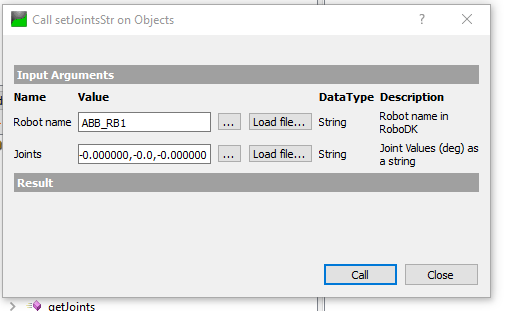
setJointsStr és un mètode que permet a l'usuari establir el valor de les articulacions del robot, basat en un valor de cadena.
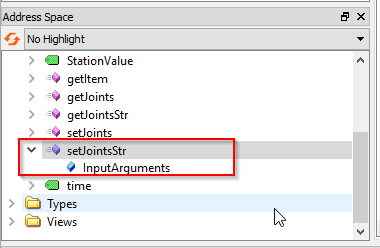
En el nom del robot s'hi passa ABB_RB1, i només cal passar una cadena amb el valor de les articulacions al paràmetre Joints.
Per exemple:-0.000000,0.000000,-0.000000,-0.000000,-0.0,-0.000000
Implementació amb Beckhoff TwinCAT 3
Podeu utilitzar el programari Beckhoff TwinCAT 3 per provar la connectivitat amb el servidor RoboDK OPC UA.
Afegiu el servidor TwinCAT3
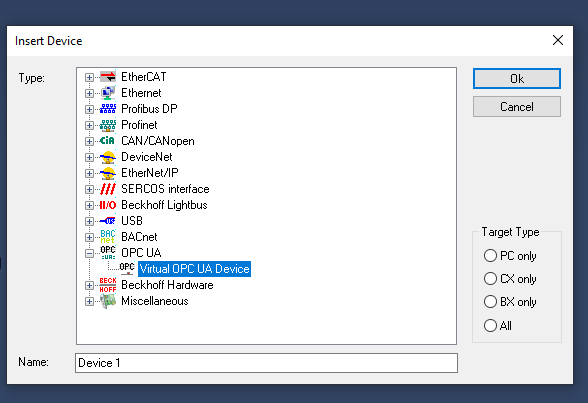
Podeu començar creant el client OPC UA seleccionant I/O > Dispositius > Afegeix un element nou.
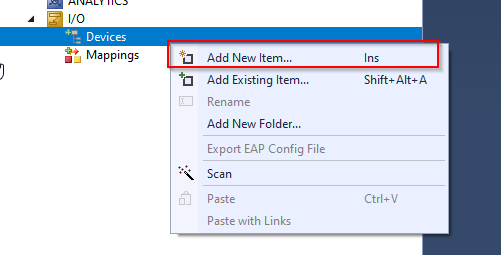
Seleccioneu Dispositiu OPC UA virtual a OPC > D'acord.
S'ha inserit el dispositiu virtual OPC UA.
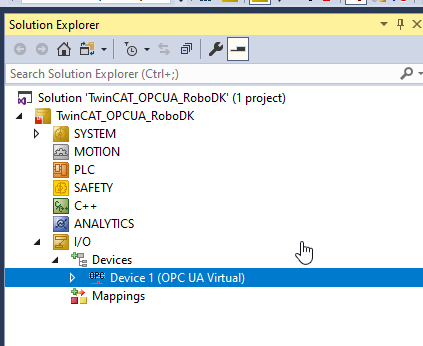
Hem d'afegir un client OPC UA per accedir al servidor OPC UA de RoboDK.
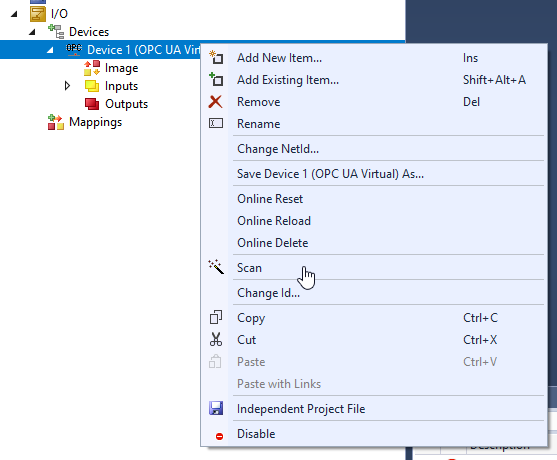
Seleccioneu Dispositiu 1 > clic dret > Afegeix un element nou.
Seleccioneu “OPC UA Client(Module)” i feu clic a D'acord.
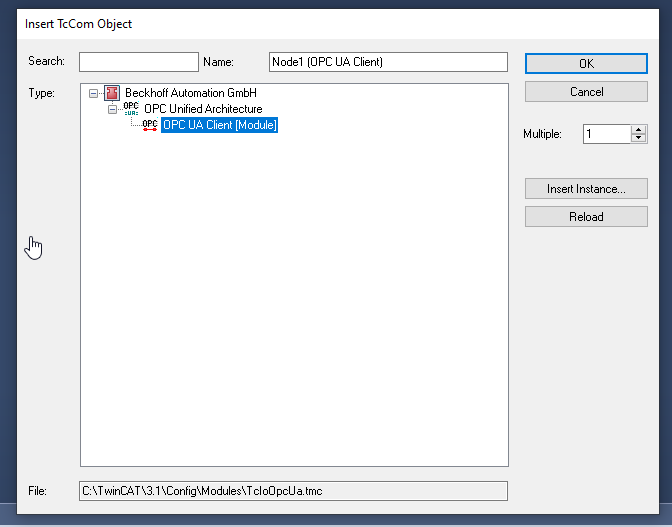
S'ha inserit el client OPC UA.
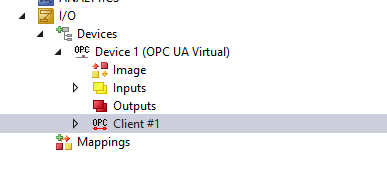
Configurar el servidor
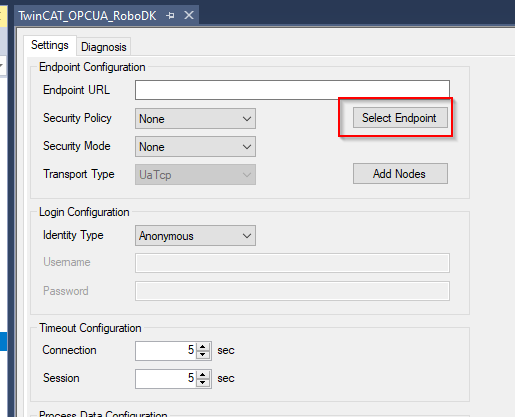
Obriu el client OPC UA > Aneu a la pestanya Configuració > feu clic a "Selecciona punt final" per configurar el punt final del servidor OPC UA al qual voleu accedir.
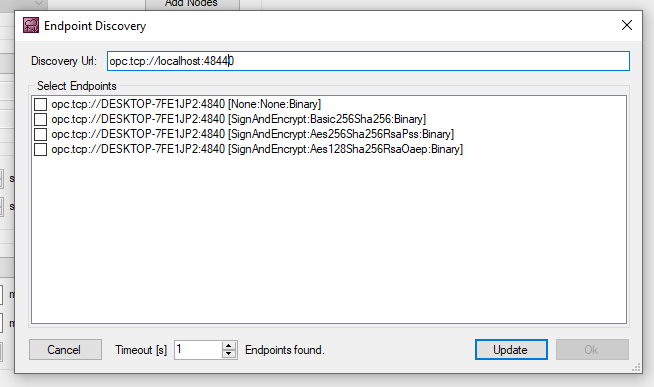
Introduïu l'URL del servidor OPC UA de RoboDK i actualitzeu-lo.
Afegiu el mètode del servidor RoboDK
Premeu "Add Nodes" per navegar pel node que es troba dins del servidor OPC UA.
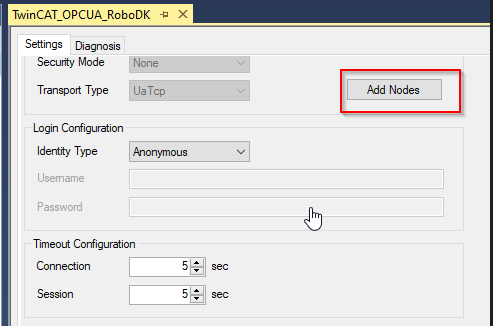
Si la connexió entre TwinCAT i el servidor OPC UA s'estableix, podeu navegar pels detalls del servidor OPC UA.
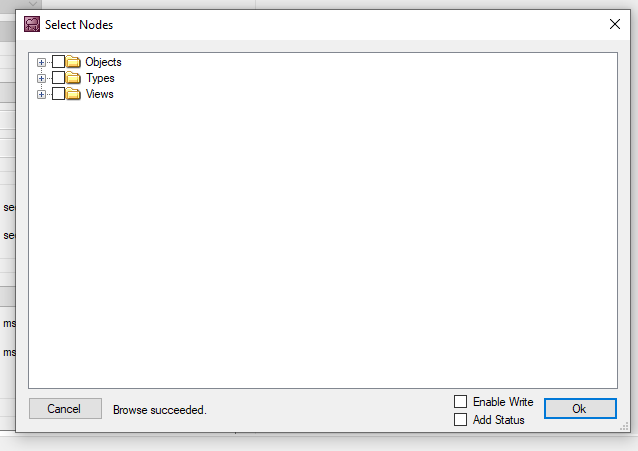
Seleccioneu tots els mètodes i feu clic a OK.
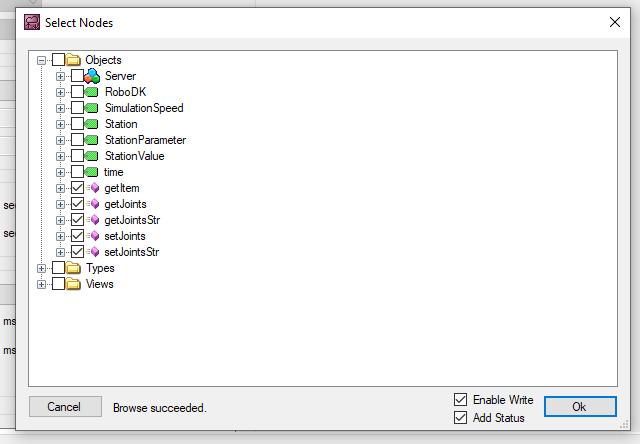
Els mètodes s'han afegit a la vostra configuració.
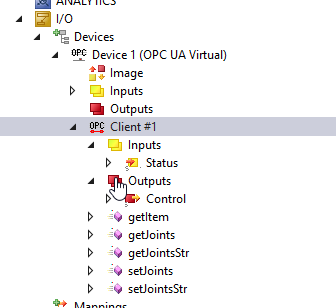
Genera automàticament el mètode RoboDK
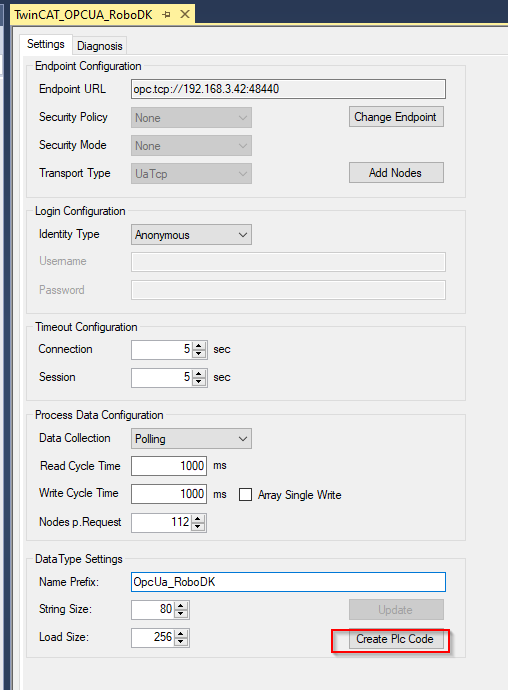
Configureu el vostre prefix de nom en aquest camp.
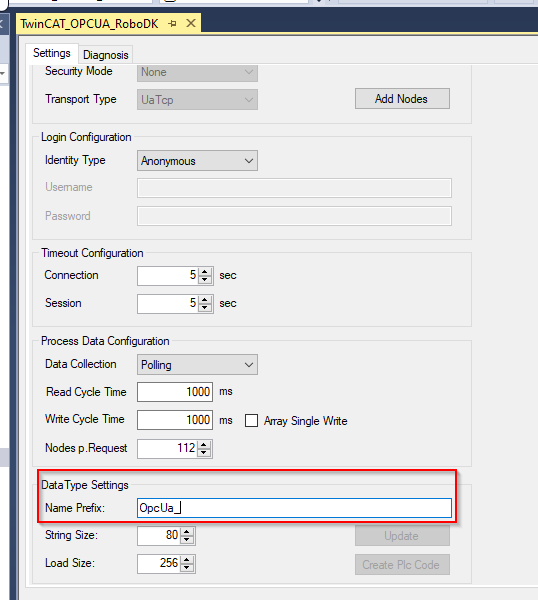
Premeu "Create Plc Code" per crear el codi PLC des de TwinCAT.
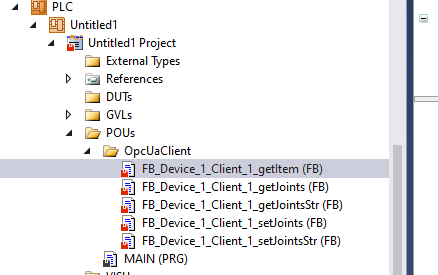
S'ha creat una carpeta OpcUaClient al vostre projecte i tots els mètodes de RoboDK s'han creat en format de bloc de funcions IEC61131-3.
Exemple de programa PLC
Aquesta secció mostra un programa d'exemple d'un PLC Beckhoff TwinCAT que es comunica amb el servidor OPC UA de RoboDK.
PROGRAM MAIN
VAR
bConnected :BOOL;
StationPointer :DINT;
iStep :INT;
bStart :BOOL;;
i :INT;
TON :TON;
bReset :BOOL;
bWrite :BOOL;
TON2 :TON;
bShow :BOOL:=TRUE;
bVis :BOOL:=True;
END_VAR
VAR
Robot_name :STRING(80):='ABB_RB1';
Item_ID :ULINT;
arrJoints :ARRAY[0..11]OF LREAL;
strJoints :STRING(80):='';
arrJointsFromStr:ARRAY[1..11]OF LREAL;
sSeparator :STRING(1) := ',';
arrJointsCommand:ARRAY[1..11]OF LREAL;
strJointsCommand:STRING(80);
END_VAR
VAR CONSTANT
cStepWaitCmd :INT:=0;
cStepInit :INT:=5;
cStepGetItem :INT:=10;
cStepGetItemReset :INT:=20;
cStepGetItemError :INT:=990;
cStepGetJoints :INT:=30;
cStepGetJointsReset :INT:=40;
cStepGetJointsError :INT:=991;
cStepGetJointsStr :INT:=50;
cStepGetJointsStrReset:INT:=60;
cStepGetJointsStrError:INT:=992;
cStepSetJointStrDelay :INT:=69;
cStepSetJointsStr :INT:=70;
cStepSetJointsStrReset:INT:=80;
cStepSetJointsStrError:INT:=993;
cStepEnd :INT:=300;
cStepWaitReset :INT:=999;
END_VAR
VAR
aSplit :ARRAY[1..11] OF STRING(80);
bResultSplit :BOOL;
debug :BOOL;
URL :STRING:='http://192.168.3.42:8091';
END_VAR
bConnected:=OPCUA_VirtualClient_RoboDK_Station.bConnected;
CASE iStep OF
cStepWaitCmd:
IF bStart THEN
iStep:=cStepInit;
bStart:=FALSE;
END_IF
cStepInit:
StationPointer:=0;
FOR i :=1 TO 11 DO
arrJoints[i]:=0.0;
arrJointsFromStr[i]:=0.0;
aSplit[i]:='';
END_FOR
IF NOT OPCUA_VirtualClient_RoboDK_Station.getItem.bBusy
AND NOT OPCUA_VirtualClient_RoboDK_Station.getItem.bError
AND NOT OPCUA_VirtualClient_RoboDK_Station.getJoints.bBusy
AND NOT OPCUA_VirtualClient_RoboDK_Station.getJoints.bError
AND NOT OPCUA_VirtualClient_RoboDK_Station.getJointsStr.bBusy
AND NOT OPCUA_VirtualClient_RoboDK_Station.getJointsStr.bError
AND NOT OPCUA_VirtualClient_RoboDK_Station.setJoints.bBusy
AND NOT OPCUA_VirtualClient_RoboDK_Station.setJoints.bError
AND NOT OPCUA_VirtualClient_RoboDK_Station.setJointsStr.bBusy
AND NOT OPCUA_VirtualClient_RoboDK_Station.setJointsStr.bError
THEN
iStep:=cStepGetItem;
END_IF
iStep:=cStepGetItem;
cStepGetItem:
IF OPCUA_VirtualClient_RoboDK_Station.getItem.bDone THEN
iStep:=cStepGetItemReset;
Item_ID:=OPCUA_VirtualClient_RoboDK_Station.getItem.Item_ID;
ELSIF OPCUA_VirtualClient_RoboDK_Station.getItem.bError THEN
iStep:=cStepGetItemError;
END_IF
cStepGetItemReset:
IF NOT OPCUA_VirtualClient_RoboDK_Station.getItem.bError
AND NOT OPCUA_VirtualClient_RoboDK_Station.getItem.bBusy
THEN
iStep:=cStepGetJoints;
END_IF
cStepGetJoints:
IF OPCUA_VirtualClient_RoboDK_Station.getJoints.bDone
AND NOT OPCUA_VirtualClient_RoboDK_Station.getJoints.bBusy
THEN
iStep:=cStepGetJointsReset;
ELSIF OPCUA_VirtualClient_RoboDK_Station.getJoints.bError THEN
iStep:=991;
END_IF
cStepGetJointsReset:
IF NOT OPCUA_VirtualClient_RoboDK_Station.getItem.bError
AND NOT OPCUA_VirtualClient_RoboDK_Station.getItem.bBusy
THEN
iStep:=cStepGetJointsStr;
END_IF;
cStepGetJointsStr:
IF OPCUA_VirtualClient_RoboDK_Station.getJointsStr.bDone
AND NOT OPCUA_VirtualClient_RoboDK_Station.getJointsStr.bBusy
THEN
iStep:=cStepGetJointsStrReset;
ELSIF OPCUA_VirtualClient_RoboDK_Station.getJointsStr.bError THEN
iStep:=cStepGetJointsStrError;
END_IF
cStepGetJointsStrReset:
IF NOT OPCUA_VirtualClient_RoboDK_Station.getJointsStr.bError
AND NOT OPCUA_VirtualClient_RoboDK_Station.getJointsStr.bBusy
THEN
iStep:=cStepSetJointStrDelay;
END_IF;
cStepSetJointStrDelay:
strJointsCommand:=''; strJointsCommand:=CONCAT(LREAL_TO_STRING(arrJointsCommand[1]),strJointsCommand);
strJointsCommand:=CONCAT(strJointsCommand,',');
strJointsCommand:=CONCAT(strJointsCommand,LREAL_TO_STRING(arrJointsCommand[2]));
strJointsCommand:=CONCAT(strJointsCommand,',');
strJointsCommand:=CONCAT(strJointsCommand,LREAL_TO_STRING(arrJointsCommand[3]));
strJointsCommand:=CONCAT(strJointsCommand,',');
strJointsCommand:=CONCAT(strJointsCommand,LREAL_TO_STRING(arrJointsCommand[4]));
strJointsCommand:=CONCAT(strJointsCommand,',');
strJointsCommand:=CONCAT(strJointsCommand,LREAL_TO_STRING(arrJointsCommand[5]));
strJointsCommand:=CONCAT(strJointsCommand,',');
strJointsCommand:=CONCAT(strJointsCommand,LREAL_TO_STRING(arrJointsCommand[6]));
TON2(IN:=TRUE,PT:=T#0.2S);
IF TON2.Q THEN
TON2(IN:=FALSE);
iStep:=cStepSetJointsStr;
END_IF
cStepSetJointsStr:
IF (
OPCUA_VirtualClient_RoboDK_Station.setJointsStr.bDone
AND NOT
OPCUA_VirtualClient_RoboDK_Station.setJointsStr.bBusy
)
OR NOT bWrite
THEN
iStep:=cStepSetJointsStrReset;
ELSIF OPCUA_VirtualClient_RoboDK_Station.setJointsStr.bError
THEN
iStep:=cStepSetJointsStrError;
END_IF
cStepSetJointsStrReset:
bWrite:=FALSE;
OPCUA_VirtualClient_RoboDK_Station.setJointsStr.bExecute:=FALSE;
IF NOT OPCUA_VirtualClient_RoboDK_Station.setJointsStr.bError
AND NOT OPCUA_VirtualClient_RoboDK_Station.setJointsStr.bBusy
THEN
iStep:=cStepEnd;
END_IF;
cStepEnd:
TON(IN:=TRUE,PT:=T#0.1S);
IF TON.Q THEN
TON(IN:=FALSE);
IF NOT debug THEN
iStep:=10;
ELSE
iStep:=cStepSetJointStrDelay;
END_IF;
END_IF
cStepGetItemError:
Item_ID:=0;
iStep:=cStepWaitReset;
cStepGetJointsError:
FOR i :=0 TO 11 DO
arrJoints[i]:=-99999.99;
END_FOR
iStep:=cStepWaitReset;
cStepGetJointsStrError:
strJoints:='';
iStep:=cStepWaitReset;
cStepWaitReset:
IF bReset THEN
iStep:=cStepInit;
bReset:=FALSE;
END_IF;
END_CASE
aSplit[1] := strJoints;
FOR i:=1 TO 7 DO
bResultSplit := FindAndSplit(
pSeparator := ADR(sSeparator)
,pSrcString := ADR(aSplit[i])
,pLeftString:= ADR(aSplit[i])
,nLeftSize := SIZEOF(aSplit[i])
,pRightString:= ADR(aSplit[i+1])
,nRightSize := SIZEOF(aSplit[i+1])
,bSearchFromRight := FALSE );
IF NOT bResultSplit THEN
EXIT;
END_IF
END_FOR
FOR i :=1 TO 6 DO
arrJointsFromStr[i]:=STRING_TO_LREAL(aSplit[i]);
END_FOR;
//
OPCUA_VirtualClient_RoboDK_Station.getItem(
bExecute:=iStep=cStepGetItem
,Item_Name:=Robot_name
);
OPCUA_VirtualClient_RoboDK_Station.getJoints(
bExecute:=iStep=cStepGetJoints
,Item_ID:=Item_ID,Joints=>arrJoints
);
OPCUA_VirtualClient_RoboDK_Station.getJointsStr(
bExecute:=iStep=cStepGetJointsStr
,Robot_name:=Robot_name,Joints=>strJoints
);
IF bWrite THEN
OPCUA_VirtualClient_RoboDK_Station.setJointsStr(
bExecute:=TRUE
,Robot_name:=Robot_name,Joints:=strJointsCommand);
END_IF;


