Manual vs. Programmatic Execution
There are two primary ways to utilize the Add-in: using the UI and through a program call.
1.UI Trigger: Use the Spawn button in the RoboDK toolbar to create a box instantly using the current settings (defaulting to Spawner ID #0).
2.Program Call: For full automation, use the Add Script feature. This inserts a python file named SpawnBox into your station. You can then add the given command to any RoboDK Program in order to integrate the box spawning into your program flow:
Call SpawnBox(ID)
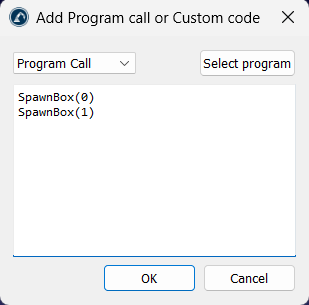
Note: The Add Script can be accessed by selecting Utilities ➔ Box Spawner ➔ Add Script.


