CAM tab
The CAM tab from the CAM project menu contains the machining settings and other strategy settings described in this section.
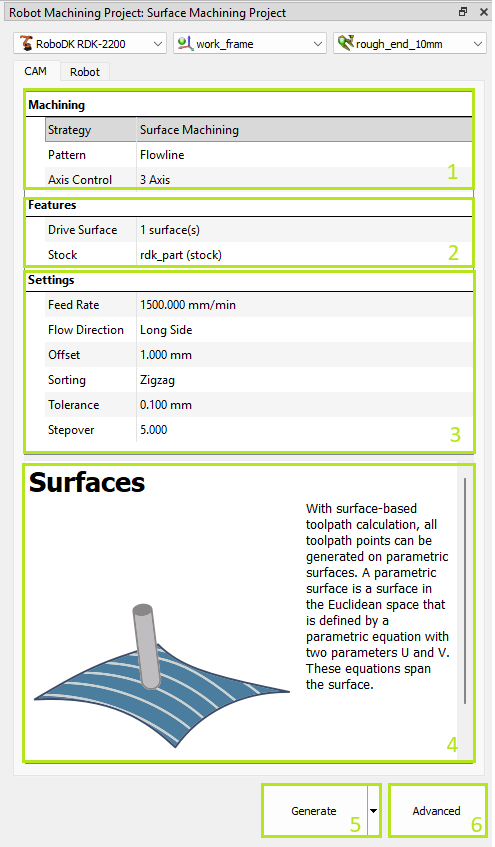
1.Machining settings – indicates selected strategy group and allows switching between patterns. Additionally, you can select the axes control mode.
2.Features settings – indicates the selected features of the part and stock. This selection is mandatory for calculating the toolpath.
3.Strategy specific settings.
4.Tip – appears when clicking on parameters.
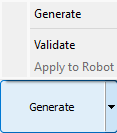
5.Toolpath generation button – calculates the toolpath and applies it to the selected robot. The Validate and Apply to Robot sub-options allow you to separate the calculation and application actions for complex toolpaths.
6.Advanced strategy settings.


