Settings
By clicking on the CAM-Settings you will be able to adjust the default RoboDK CAM settings.
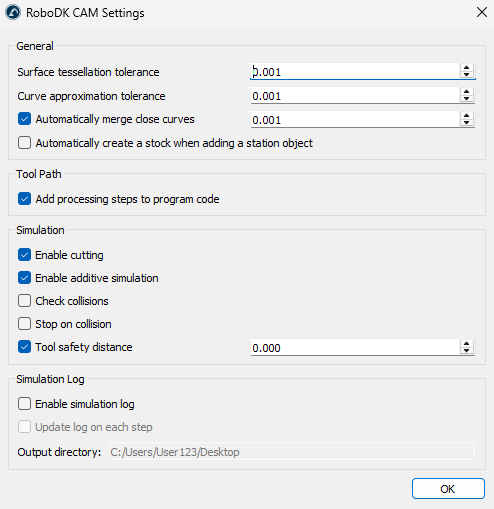
General
The General Settings group includes tolerance settings for model import. In addition, you can enable the Auto Create Stock option, which will display the corresponding dialog box each time you add any model to the station.
Tool Path
The Tool Path settings group includes the Add processing steps to program code option. When this option is enabled, additional information related to the machining process will be added to the generated program.
Simulation
The Simulation settings group includes parameters that enable material removal/addition simulation and collision checking. The Tool Safety Distance parameter can be used to specify an additional distance between the non-cutting parts of the cutter tool and the material. This distance will be taken into account during collision checking.
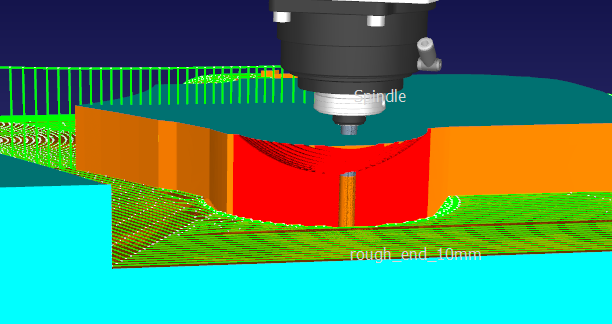
Collision surfaces will be marked in red.
Log
The Simulation Log settings group includes log parameters that can help investigate simulation-related issues.


