Add-In set up
If you installed RoboDK after installing Mastercam you should have the RoboDK plugin for Mastercam already installed. This includes the DLL in CHOOKS folder, a RoboDK.pst post, mill and router machine definitions and some default/generic machine configurations.
Note: If you don’t see the RoboDK commands in Mastercam you should follow the instructions to install the plug-in manually.
Follow these steps to set up the RoboDK plugin for Mastercam:
1.Start Mastercam.
2.Set up the RoboDK commands:
a.Select File➔Options.
b.Select Customize Ribbon.
c.Select New Tab.
d.Select Rename and enter RoboDK.
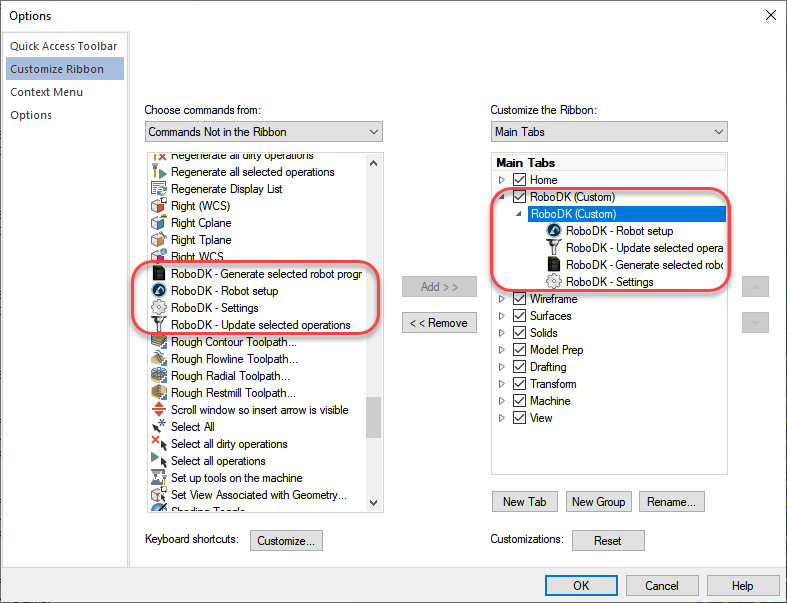
e.Add the selected commands as shown in the image.
f.Click OK to save the new tab.
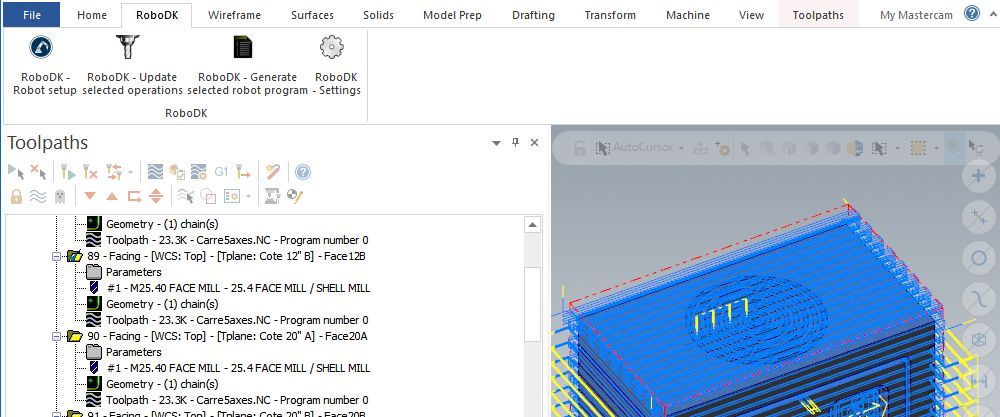
You’ll then see the RoboDK tab in Mastercam as shown in the following image.