RhinoCAM Setup
Follow these steps to automatically setup your robot machining project from RhinoCAM:
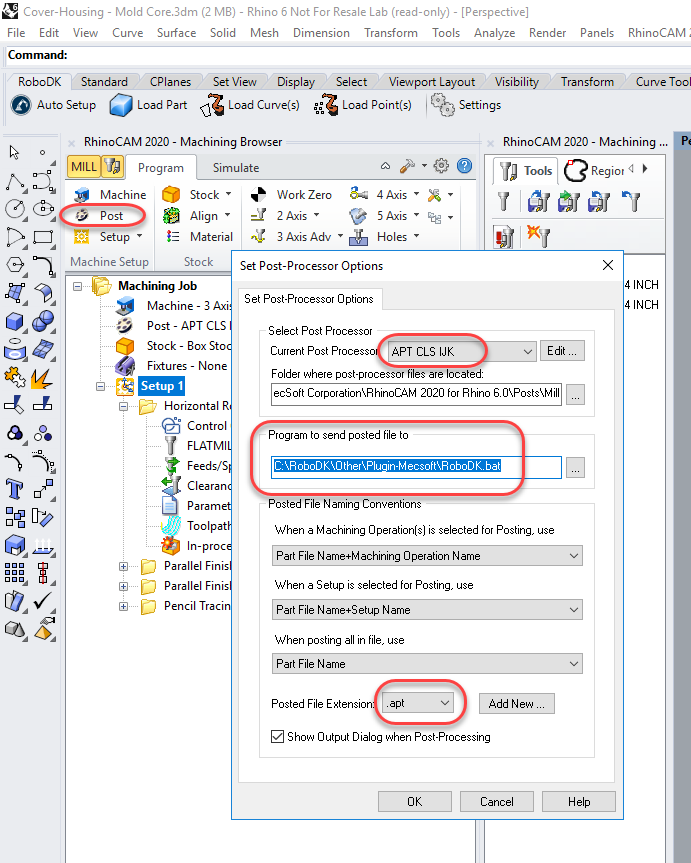
1.Select the Program tab in the RhinoCAM Machining Browser.
2.Select Post
3.Set the Post Processor to APT CLS IJK
4.Set the Program to send posted file to:
C:\RoboDK\Other\Plugin-MecSoft\RoboDK.bat
5.Select OK
Tip: If you have not defined your machine you can set it up as a generic 3-axis or 5-axis machine with a large workspace.
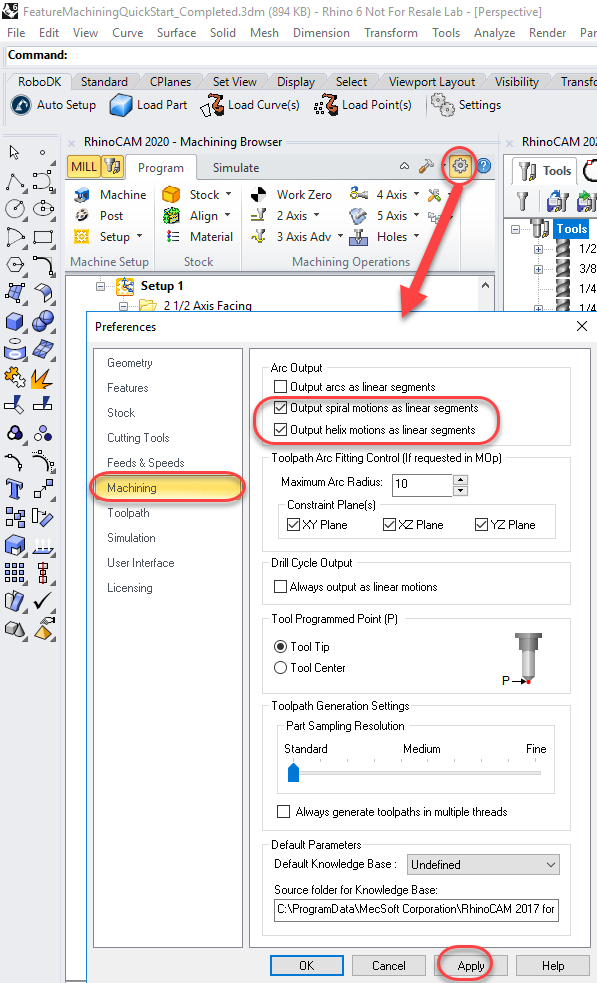
You should also generate helix and spirals as linear movements (not as a Helix command). Helix commands are not supported by industrial robots. You should follow these steps to change this setting:
1.Select the CAM Preferences button (as shown in the following image).
2.Select the Machining tab
3.Check Output spiral motions as linear segments.
4.Check Output helix motions as linear segments.