Prepare the Program
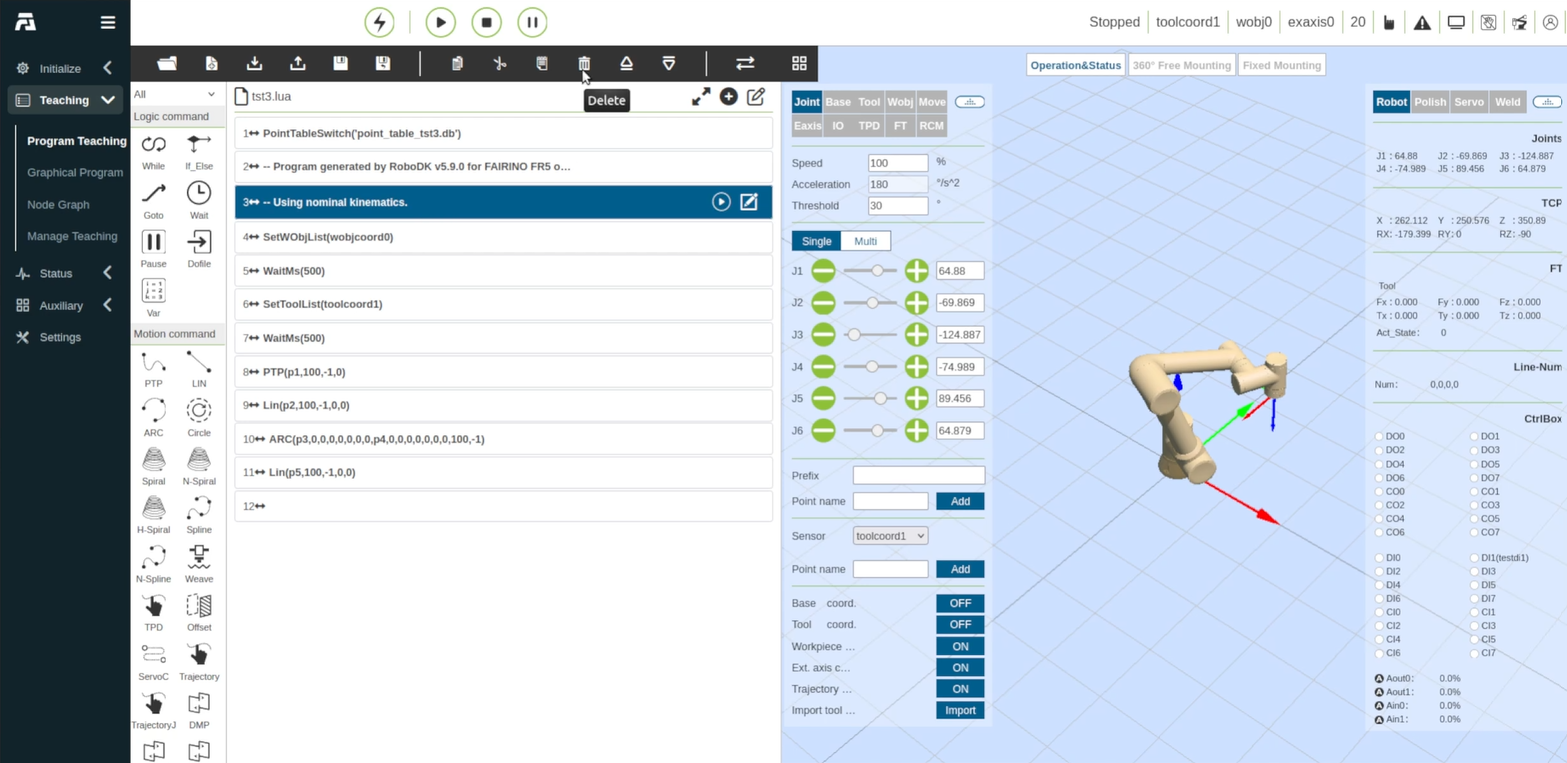
The final step before you run the imported program for the FAIRINO robot is to clean it up and remove unnecessary program lines. Follow these steps to clean up and make the program executable.
1.Return to the Program Teaching screen by selecting it from the left sidebar.
2.Click the Open File icon on the top program toolbar.
3.In the Open File dialog, select the program file (e.g., tst3.lua) from the list.
4.Click Open to load the program blocks into the editor.
5.Review the loaded program blocks.
6.Select any line you do not need on the controller, such as the comment blocks RoboDK writes at the top of the program (for example, -- Program generated by RoboDK and -- Using nominal kinematics.).
7.Click the Delete (trash can) icon in the editing toolbar to remove the block.