Robot Kinematics Verification
It is necessary to ensure that the robot dimensions (e.g., link lengths and offsets) accurately match those of the actual robot, as they may vary depending on the robot version. Follow these steps to verify whether the DH parameters of your RoboDK robot match your actual FAIRINO robot.
1.In RoboDK, open the robot panel and click Parameters.
2.Inspect the DH parameter table (link lengths a, offsets d, and joint angular offsets theta).
3.Compare these values with the official mechanical drawings and parameters reported in the FAIRINO controller settings to avoid positional inaccuracies between the offline simulation and the real cell.
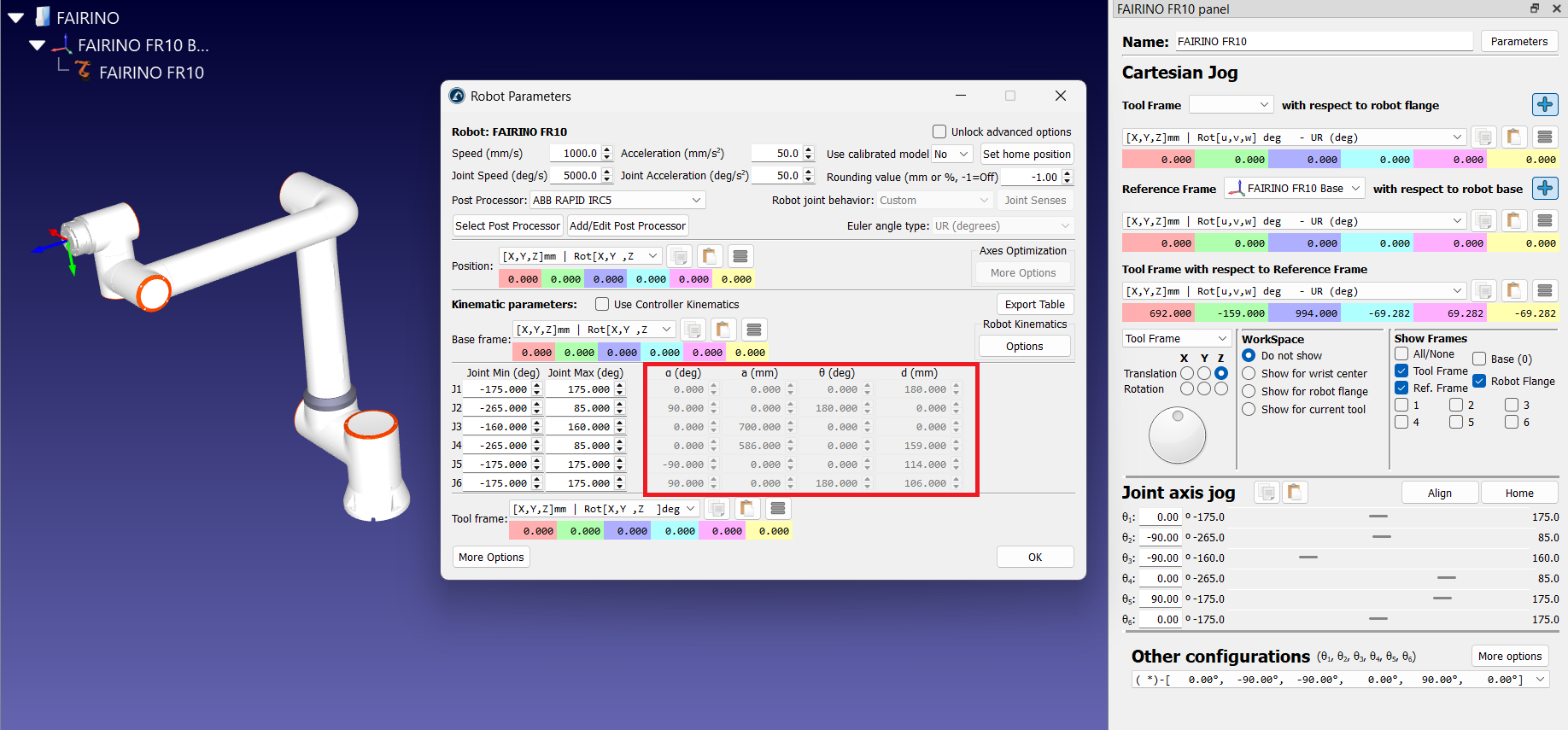
You can also compare the Cartesian coordinates of the flange zero point (also known as the null tool) for similar joint values. This is a good starting point for comparison.


