Start a Robot Program
Follow these steps to configure the execution mode and run the FAIRINO robot program.
Warning: In Auto Mode the robot executes the program at the programmed speed. Before you start, make sure the work area is clear, that nobody is inside the robot envelope, and that you can reach the emergency stop.
1.In the top-right header, toggle the operational mode switch from Manual Mode to Auto Mode by clicking "Click to switch modes".
2.Click the Play/Run button on the top execution bar.
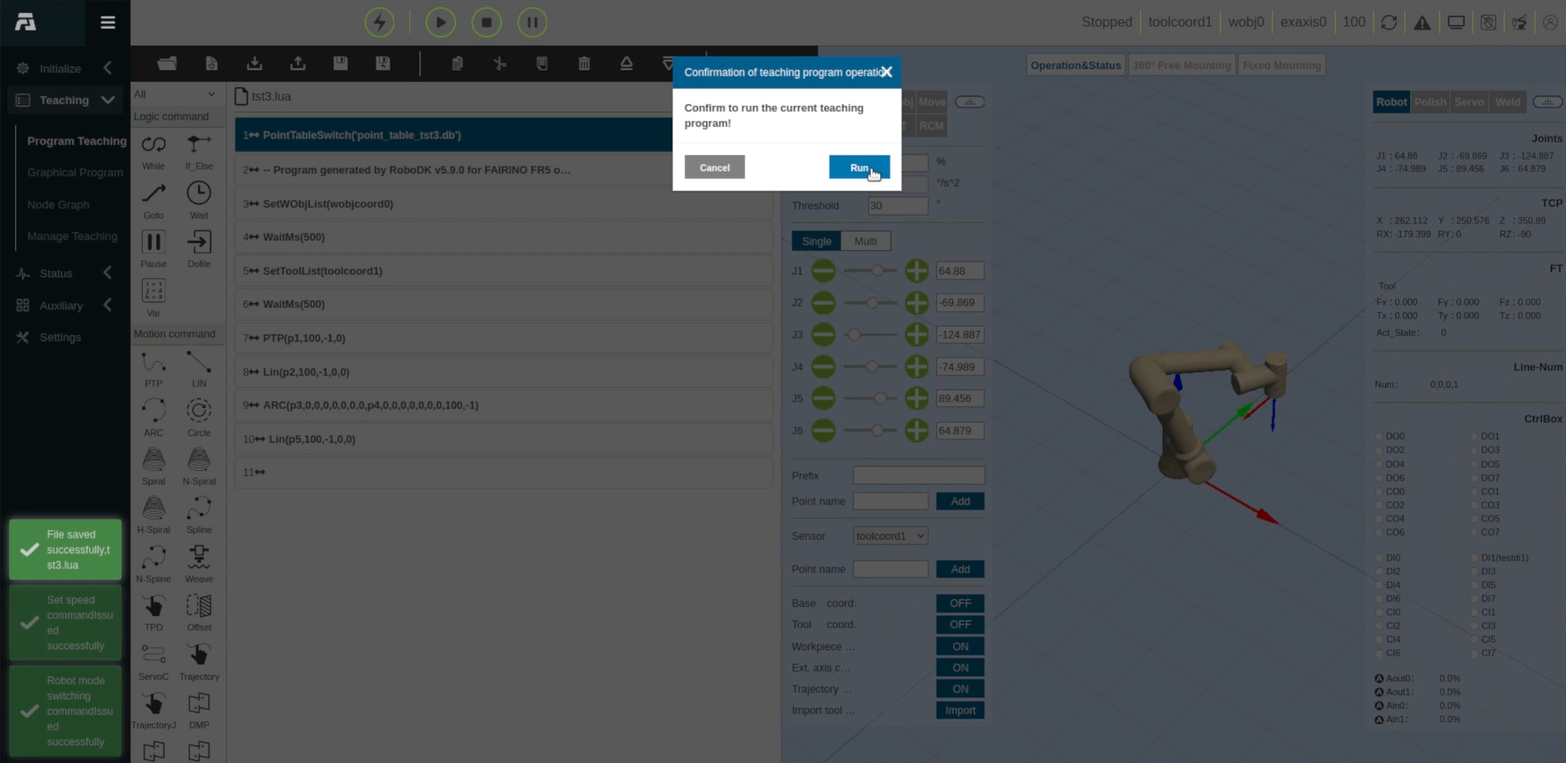
3.When the Confirmation of teaching program operation prompt appears ("Confirm to run the current teaching program!"), click Run.
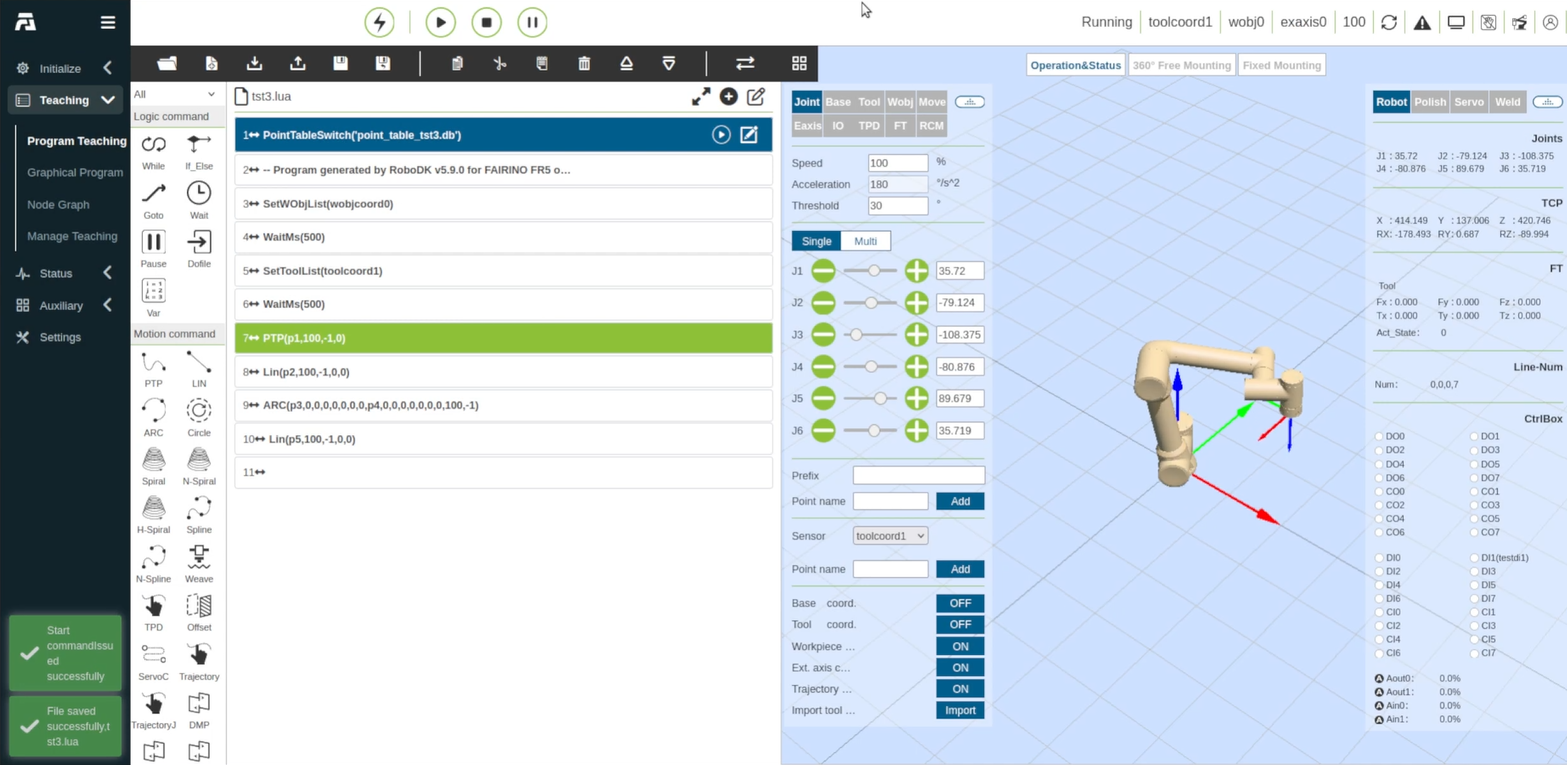
4.The 3D robot model will update and execute the trajectory points sequentially according to the loaded script and point table.