Opening the collision map
You can also open RoboDK’s Collision Map Settings by clicking on the Collision Map button in Smart Motion’s menu. A properly configured collision map ensures that the Add-in calculates a trajectory that maintains a collision-free path by referencing the collision matrix.
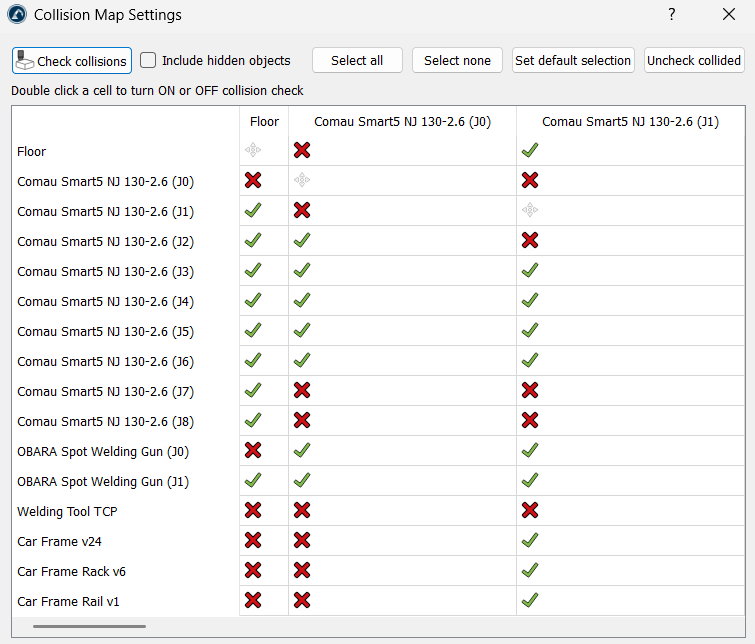
Note: Before generating a path, use this option to define which objects the robot must avoid.


