Setup for Offline Programming
This section guides you through the procedure to match the real measurement system with your simulation offline. This lets you build a digital twin that shares a common reference frame between your simulation and the real setup.
You can use the TwinTrack teach by demonstration features without a calibrated robot or even a real robot. This means you can simulate and program your robot offline only with your measurement system before you have access to the real robot.
You simply need a part with a well-defined coordinate system that you can use as a reference. The reference must be the same offline and in the real setup.
Once you have the measurement system and your part ready (real or simulated) you can follow these steps to define the coordinate system of your measurement device:
1.Define the part’s coordinate system with your real robot using the Define Reference Frame option from the Utilities menu. If you don’t have a real robot, use an approximated position of the coordinate system in your RoboDK simulation. You can repeat this procedure later with a real setup.
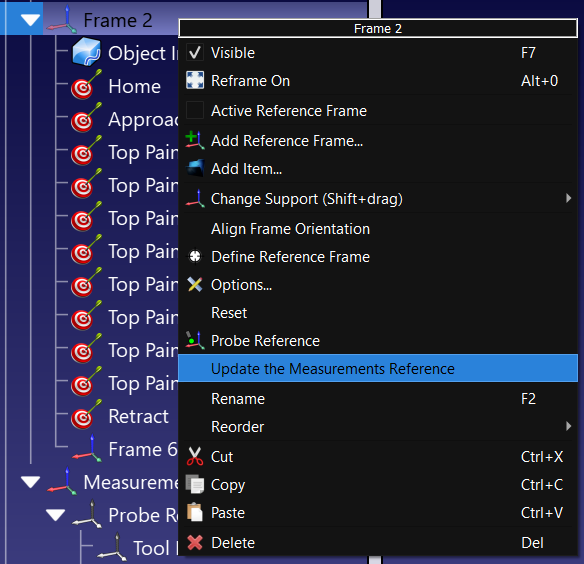
2.Right click the coordinate system of your part (or the coordinate system the jig/fixture is attached to).
3.Select Update the Measurements Reference.
4.Follow the instructions on the screen to teach 3 points of your real part using the probe. These 3 points define the coordinate system in the right order: the origin, a point on X+ and a point on Y+.
The measurement system will be updated accordingly, and you can proceed to teach points, curves or other coordinate systems.


