プログラムフィルタリング
ロボットが較正されたら、較正されたロボットの絶対精度を使用してプログラムを生成するための2つのオプションがあります。
●既存のプログラムをフィルタリングする:プログラム内のすべてのロボットターゲットは、ロボットの精度を向上させるために変更されます。手動またはAPIを使用して実行できます。
●オフラインプログラミング用のRoboDKを使用して、正確なプログラムを生成します(APIを使用して生成されたプログラムを含め、生成されたプログラムは既にフィルター処理されています)。
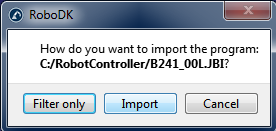
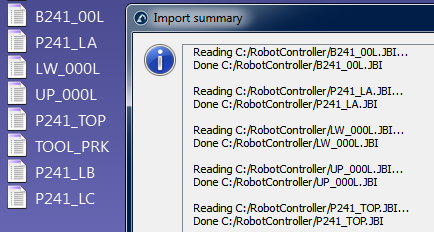
既存のプログラムを手動でフィルタリングするには:ロボットプログラムファイルをRoboDKのメイン画面にドラッグアンドドロップし(またはファイル➔開くを選択し)、[フィルターのみ]を選択します。プログラムがフィルタリングされ、同じフォルダに保存されます。フィルターの概要では、フィルターアルゴリズムの使用に問題があったかどうかが示されます。RoboDK内でプログラムをシミュレーションする場合は、プログラムをインポートするオプションもあります。プログラムに依存関係(ツール座標系またはベースフレームの定義、サブプログラムなど)がある場合、それらは最初のプログラムがインポートされるのと同じディレクトリに配置する必要があります。
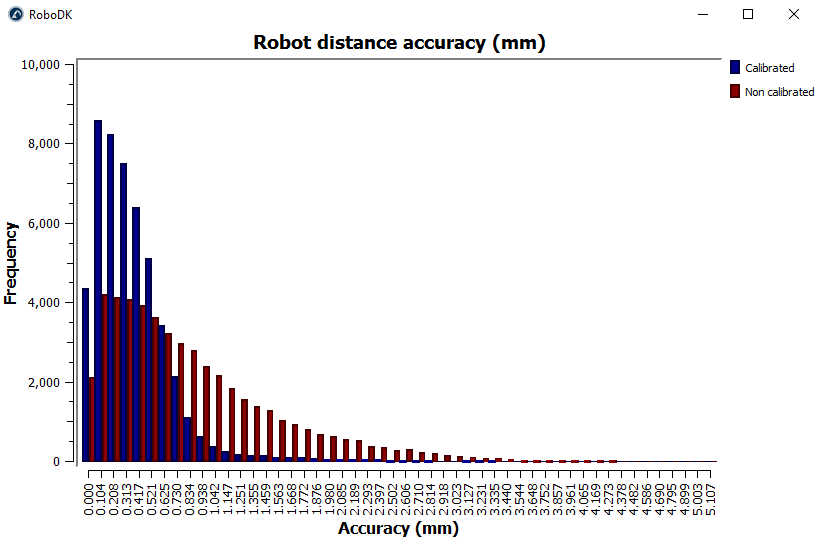
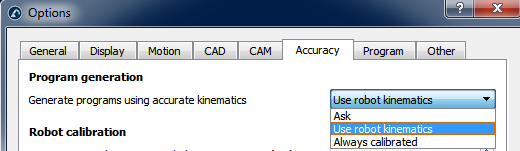
RoboDK内にプログラムをインポートしたら、絶対精度の有無にかかわらず、プログラムを再生成できます。RoboDKの主な精度設定(ツール➔オプション➔精度)で、常に正確な運動学を使用してプログラムを生成するか、毎回確認するか、または現在のロボット運動学を使用するかを決定できます。現在のロボットの運動学は、ロボットを右クリックして「正確な運動学を使用する」タグをアクティブ化/非アクティブ化することで変更できます。アクティブな場合は緑色のドットが表示され、アクティブでない場合は赤いドットが表示されます。
APIでプログラムをフィルタリングする
キャリブレーションされたロボットとロボットプログラムがあれば、FilterProgram コールを使用して、RoboDKで完全なプログラムをフィルタリングすることが可能です:
robot.FilterProgram(file_program)
FilterProgramと呼ばれるマクロの例は、ライブラリのマクロセクションにあります。次のコードは、RoboDK APIを使用してプログラムをフィルタリングするPythonスクリプトの例です。
from robolink import * # API to communicate with RoboDK
from robodk import * # basic matrix operations
import os # Path operations
# Get the current working directory
CWD = os.path.dirname(os.path.realpath(__file__))
# Start RoboDK if it is not running and link to the API
RDK = Robolink()
# optional: provide the following arguments to run behind the scenes
#RDK = Robolink(args='/NOSPLASH /NOSHOW /HIDDEN')
# Get the calibrated station (.rdk file) or robot file (.robot):
# Tip: after calibration, right click a robot and select "Save as .robot"
calibration_file = CWD + '/KUKA-KR6.rdk'
# Get the program file:
file_program = CWD + '/Prog1.src'
# Load the RDK file or the robot file:
calib_item = RDK.AddFile(calibration_file)
if not calib_item.Valid():
raise Exception("Something went wrong loading " + calibration_file)
# Retrieve the robot (no popup if there is only one robot):
robot = RDK.ItemUserPick('Select a robot to filter', ITEM_TYPE_ROBOT)
if not robot.Valid():
raise Exception("Robot not selected or not available")
# Activate accuracy
robot.setAccuracyActive(1)
# Filter program: this will automatically save a program copy
# with a renamed file depending on the robot brand
status, summary = robot.FilterProgram(file_program)
if status == 0:
print("Program filtering succeeded")
print(summary)
calib_item.Delete()
RDK.CloseRoboDK()
else:
print("Program filtering failed! Error code: %i" % status)
print(summary)
RDK.ShowRoboDK()
APIを使用してターゲットをフィルターする
次のコードは、FilterTarget コマンドを使用し、RoboDK APIでターゲット(ポーズターゲットまたは関節ターゲット)をフィルタリングするPythonスクリプトの例です。
pose_filt, joints = robot.FilterTarget(nominal_pose, estimated_joints)
この例は、サードパーティのアプリケーション(RoboDK以外)がポーズターゲットを使用してロボットプログラムを生成する場合に役立ちます。
注意: APIを使用してプログラムが自動的に生成される場合、これは必要ありません。
from robolink import * # API to communicate with RoboDK
from robodk import * # basic matrix operations
def XYZWPR_2_Pose(xyzwpr):
return KUKA_2_Pose(xyzwpr) # Convert X,Y,Z,A,B,C to a pose
def Pose_2_XYZWPR(pose):
return Pose_2_KUKA(pose) # Convert a pose to X,Y,Z,A,B,C
# Start the RoboDK API and retrieve the robot:
RDK = Robolink()
robot = RDK.Item('', ITEM_TYPE_ROBOT)
if not robot.Valid():
raise Exception("Robot not available")
pose_tcp = XYZWPR_2_Pose([0, 0, 200, 0, 0, 0]) # Define the TCP
pose_ref = XYZWPR_2_Pose([400, 0, 0, 0, 0, 0]) # Define the Ref Frame
# Update the robot TCP and reference frame
robot.setTool(pose_tcp)
robot.setFrame(pose_ref)
# Very important for SolveFK and SolveIK (Forward/Inverse kinematics)
robot.setAccuracyActive(False) # Accuracy can be ON or OFF
# Define a nominal target in the joint space:
joints = [0, 0, 90, 0, 90, 0]
# Calculate the nominal robot position for the joint target:
pose_rob = robot.SolveFK(joints) # robot flange wrt the robot base
# Calculate pose_target: the TCP with respect to the reference frame
pose_target = invH(pose_ref)*pose_rob*pose_tcp
print('Target not filtered:')
print(Pose_2_XYZWPR(pose_target))
joints_approx = joints # joints_approx must be within 20 deg
pose_target_filt, real_joints = robot.FilterTarget(pose_target, joints)
print('Target filtered:')
print(real_joints.tolist())
print(Pose_2_XYZWPR(pose_target_filt))


