

05-06-2025, 11:15 PM
Is there a way to disable the pop-up window for when I run a program and it reaches an invalid instruction?

Disable program pop-up windows |

05-06-2025, 11:15 PM
Is there a way to disable the pop-up window for when I run a program and it reaches an invalid instruction?

05-07-2025, 12:05 PM
When a program can't be completed it will show a blocking popup. If you are using the API you can use the function Update to know in advance if there will be any issues with the program.
You can prevent all popups by using the command line option -Popups=0. But this is a bit aggressive as it will apply to all popups.
05-08-2025, 09:45 PM
Is it possible to create an event handler to log/print the pop-up message if I do disable all pop-ups?
05-09-2025, 11:45 AM
RoboDK prints a lot of information through the standard output channel starting with the keyword "EventPopupMessage" and then the message.
So you could look for these messages in the stdout channel and show messages when necessary. Keep in mind that blocking popups won't act as blocking if you use your custom integration this way though.
12-26-2025, 11:57 PM
(This post was last modified: 12-27-2025, 12:02 AM by SamuelEStreamline.)
Hi Albert,
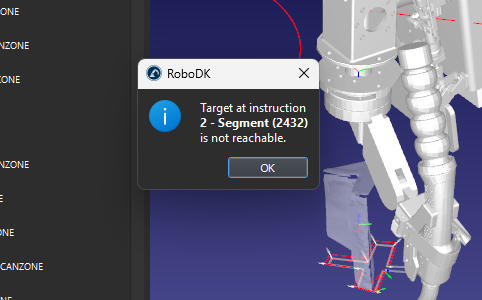
I'm using the Python API to generate robot programs. I want to disable the blocking popup when program generation fails and instead use the `program.MakeProgram()` return values to determine if program generation was successful or not. I tried the following code: but still got the following blocking popup: I tried again with the command value set to 0 on line 1352 but was unsuccessful in disabling the popup. Do you have any other ideas on how I can disable these popup messages? I also tried `self.rdk.Command("AutoClosePopups", "1")` to select a default answer to the popup but this didn't work either. Thanks, Sammy
12-29-2025, 02:36 PM
We just released a new version (Windows for now) that allows you to prevent any popups for program generation as well.
You should use the following Python code to generate a program without any messages: Code: RDK.Command("Popups", 0)
12-29-2025, 04:58 PM
Thank you Albert. That was the solution I was looking for. I downloaded the latest version and the popup suppression worked!
|
| Users browsing this thread: |
| 1 Guest(s) |