



I am using RoboDK in a PySide application and have a couple confusing things that I cannot figure out. The attached station has a couple small tool change paths. I have exported both of those as *.mod files that are also attached.
I know that I can simulate them in RoboDK as normal, but there are a lot of steps in our process that happen between authoring the paths and simulating them later.
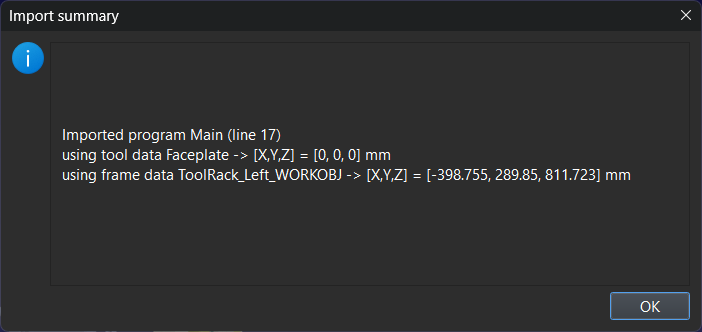
When I use the Python API to import the mod files, it pops up a couple dialog boxes that get in the way and require user input. I need to suppress those dialog boxes and work around them somehow. Here are the two dialogs:

The program seems to import perfectly. However, the API says that the program is not valid. If I double click the program in the tree it will run as expected. If I select the program and press F5 it will update the program and the icon returns to "valid". But if the script tries to use the Update() method on the program it fails.
If you open the station, there is a "Import Robot Program" script that goes through all of these steps. I hope that you see the same results that I see :)
Does anyone have some suggestions of what I should try? Or what I am doing wrong - which is more likely.
Thanks,
Henry
I know that I can simulate them in RoboDK as normal, but there are a lot of steps in our process that happen between authoring the paths and simulating them later.
When I use the Python API to import the mod files, it pops up a couple dialog boxes that get in the way and require user input. I need to suppress those dialog boxes and work around them somehow. Here are the two dialogs:
The program seems to import perfectly. However, the API says that the program is not valid. If I double click the program in the tree it will run as expected. If I select the program and press F5 it will update the program and the icon returns to "valid". But if the script tries to use the Update() method on the program it fails.
If you open the station, there is a "Import Robot Program" script that goes through all of these steps. I hope that you see the same results that I see :)
Does anyone have some suggestions of what I should try? Or what I am doing wrong - which is more likely.
Thanks,
Henry
