Collaborative robot programming doesn’t just mean hand-guiding. Let’s explore the various ways that you can program a cobot and how to choose the right method.
Since collaborative robots (cobots) first burst into popularity around 2 decades ago, they have become known for quick hand-guided programming. This involves physically moving the robot to desired locations in its workspace and the robot replays those movements during operation.
While this basic programming approach is ideal for quick deployment, there are many more programming options for cobots. Your application might benefit from the extra features offered by more advanced programming options.
Here is a clear guide to collaborative robot programming…
What is Collaborative Robot Programming?
Collaborative robot programming involves generating movement and operational instructions for robotic applications that involve humans. Compared to standard industrial robotics, cobot programs must account for the extra safety requirements in shared workspaces.

There are two levels of cobot programming:
1. Programming a Collaborative Manipulator
Most cobot deployments are not truly “collaborative” because they don’t involve human-robot interaction. By using a specially designed collaborative manipulator, the robot can operate in a shared workspace without additional safety fencing.
In these cases, programming is similar to any other industrial robotics application. You simply program the robot using your chosen method, and the manipulator design handles the safety requirements (though you must still perform a risk assessment).
2. True Collaborative Applications
At a more advanced level, true collaborative applications involve humans and robots working together on a shared task. This introduces complexities like changing task conditions and real-time decision-making.
According to research, effective collaboration requires two interdependent programming layers:
- Intuitive interaction layer — This allows human operators to create and modify tasks for the robot on-the-fly during operation.
- Adaptive behavior layer — This enables the robot to respond dynamically to human input, whether intentional or unintentional.
Before you choose a programming method, you should decide which type of cobot programming you need. For full collaboration, you will need more advanced programming.
Programming Methods Compared for Industrial Cobots
There is no single “best” method for cobot programming. Instead, different approaches exist for different use cases.
Here are some common programming options and their strengths:
| Method | Ease of Use | Flexibility | Best For |
|---|---|---|---|
| Hand-guiding | Very high | Low | Low-accuracy, quick setup tasks |
| Teach pendant programming | Medium | Low | Simple tasks |
| Graphical programming | High | Medium | More complex tasks |
| Script programming | Medium | High | Custom logic |
| API programming | Low | Very high | Complex and true collaboration |
| Offline simulation | High | Very high | Scalable automation |
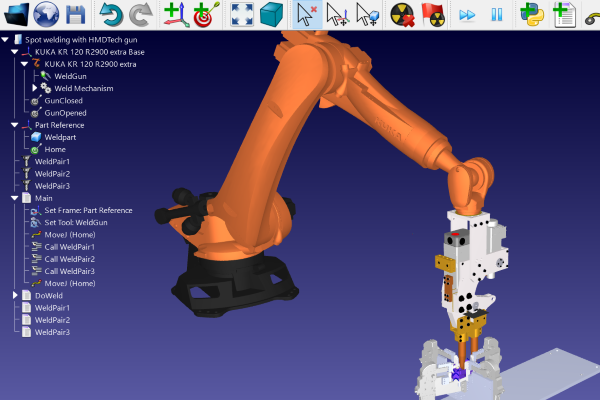
You can also use a combination of these. For example, RoboDK supports graphical programming, offline simulation, and API programming.
A Scalable Approach to Collaborative Robot Programming for Manufacturers
What should you look for in a programming platform for collaborative robots?
A good rule of thumb is to look for two properties:
- Agility/Flexibility — Your programming method should be able to adapt to your changing needs. Ideally, it should be brand-agnostic and allow you to program different types of robots in the same environment.
- Scalability — This is key. Simpler programming methods often fall down when you want to scale production beyond a single robot. Choose a programming solution that will grow alongside your automation capability.
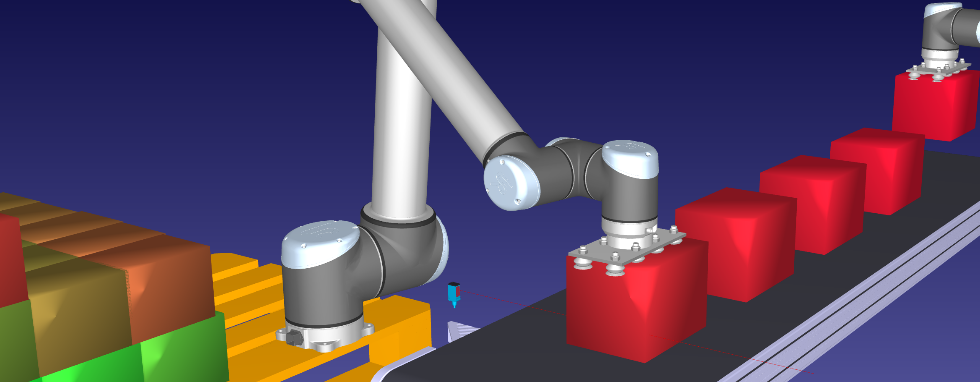
With robot software like RoboDK, the same programming tool can carry you all the way from your first application to a fully automated cobot production line.
5 Benefits of Offline Programming Collaborative Robotics
Offline programming and simulation allows you to create and test your robotic application in a controlled virtual environment before sending to a physical robot. This differs from both hand-guiding and teach pendant programming, which are the most common for cobot applications and require the physical robot to be present.
Benefits of offline programming a cobot include:
- Reduced Downtime — Most of the programming process occurs without the physical robot, which means you don’t need to stop production to update the program.
- Faster Iteration — Testing multiple scenarios in simulation allows you to make better decisions and deploy more robot applications quicker.
- Top-level Optimization — A simulator allows you to optimize your entire production workflow, not just a single robot application.
- Advanced Functionality — By allowing access to advanced APIs and automation features you can incorporate more complex applications.
- Easy Cell Replication — Offline programming makes it very easy to copy and paste an entire robot cell. This improves scalability, allowing you to seamlessly grow your automation capability.
These benefits highlight an important consideration that many people forget when using collaborative robotics for the first time…
Think about the long-term growth of your use of automation.
Even if you are only currently considering a single cobot, experience shows that businesses tend to add more robots over time. By choosing the right programming method from the start, you set yourself up for future success.

How to Choose the Right Collaborative Robot Programming Software
Finding the right cobot programming method is quite a personal choice. It will depend on factors like your level of programming expertise, experience with robotics, and expected growth.
A simple 3-step strategy is:
- Clarify your programming experience. If certain members of your team have a lot of experience with robots, consider asking them to lead the cobot deployment project.
- Try building a simple robot program in a simulator. You can do this before you even purchase a robot, with a free trial version of RoboDK. This will give you an immediate head-start.
- Start with a simple application and add more complex automation features gradually. Don’t do everything at once. Think of each robot deployment as a building block on the previous one.
With the right programming method, your cobot projects will continue to grow alongside your growing business.
What first application will you deploy with a cobot? Tell us in the comments below or join the discussion on LinkedIn, Twitter, Facebook, Instagram, or in the RoboDK Forum.. Also, check out our extensive video collection and subscribe to the RoboDK YouTube Channel