How to activate your RoboDK license
Follow these steps to set up your RoboDK license:
- Download and install RoboDK (skip this step if you have already installed RoboDK).
- Choose one of the following options:
- Download the license file and open it with RoboDK.
-
Enter the license manually:
- Start RoboDK
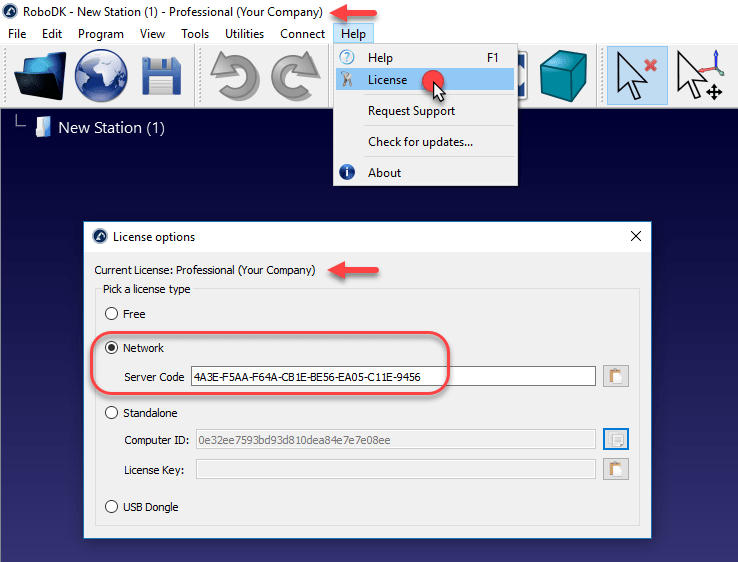
- Select Help-License in RoboDK
- Click the option Network
- Enter the following Server Code:
(your license code)
- Close the license window
Wait for 5 to 10 seconds for the license to take effect. You should see your license updated in the window title. Restart RoboDK if the license is not applied within 10 seconds.
Tip: You can optionally hide your license code by adding the letter H at the beginning of your code. Use the following options to set it up automatically:
H-(your license code)
Tip: You may have to start RoboDK using Administrator privileges or use a Proxy server to allow RoboDK to connect to the license server.
More information here: RoboDK License Setup - Frequently Asked Questions (FAQ).