RoboDK CAM

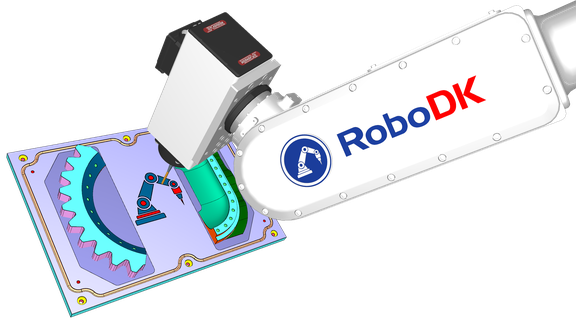
RoboDK CAM is robot programming software for CAM manufacturing.

Computer Aided Manufacturing (CAM) software defines the trajectories (toolpath) that a robot or a CNC (Computer Numerical Control machinery) should follow to perform a manufacturing operation.
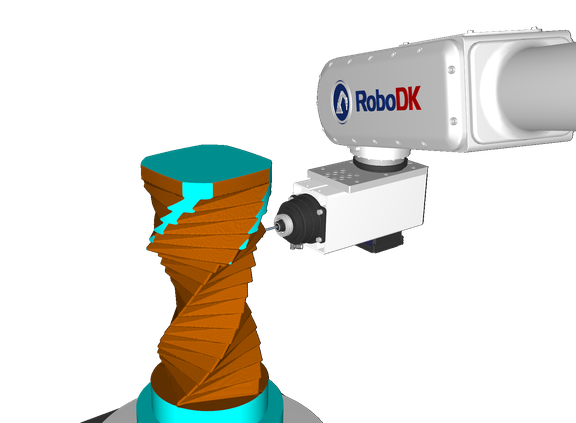
Helix_FinalRender3

Robot Machining

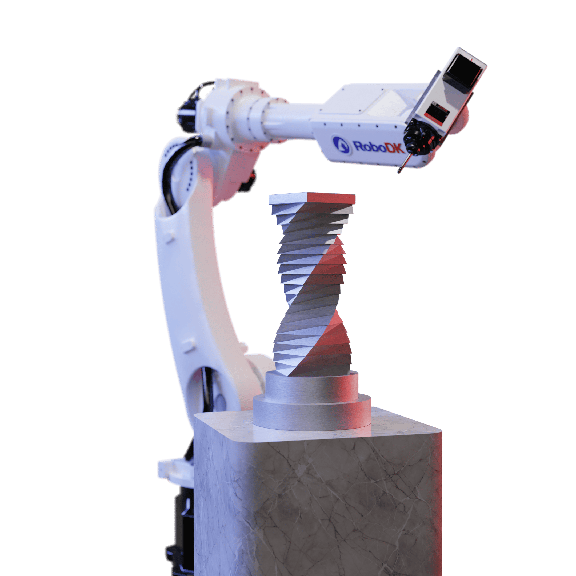
Robot Multi-Axis Machining Made Simple

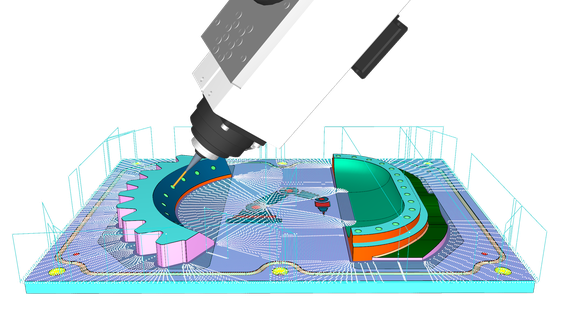
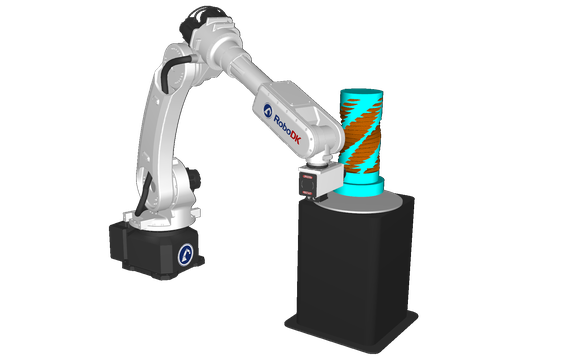
With RoboDK CAM you can create and simulate advanced toolpaths for any robot machining operation. Whether you're milling, polishing or any other manufacturing application, you can easily apply from simple 3-axis tasks to complex 5-axis machining strategies.

Technical Features:

  • Supports robot machining toolpath generation for up to 12 synchronized axes
  • Handles milling, turning, and multi-axis machining setups
  • Streamlines grinding and drilling workflows
  • Facilitates trimming, deburring, contouring, and finishing strategies
  • Includes support for robot arms and 5-axis CNC
Toolpath generation image

Material Strategies

RoboDK CAM includes roughing and finishing techniques to maintain precision and surface integrity. From heavy material removal to delicate surface refinement, you can optimize production across your manufacturing.

Technical Features:

  • Multiple roughing approaches for fast stock removal
  • Efficient finishing, surfacing, and contouring strategies
  • Integrated tool axis control for accurate orientation
RoboDK_screenshot_4_tr

Advanced Feed & Motion Optimization

RoboDK gives you full control over approach and retract movements, clearance planes, and process parameters. Fine-tune any variable to enhance safety, minimize tool wear, and improve overall efficiency.

Technical Features:

  • Adaptive patterns like zigzag and spiral for optimal material removal
  • Consistent process control for maintaining tool life and surface finishing quality
  • Adjustable approach and retract motions for safe transitions
  • Customizable clearance planes and feed rate settings
Advanced feed and motion optimization image

Precision Tool & Holder Management

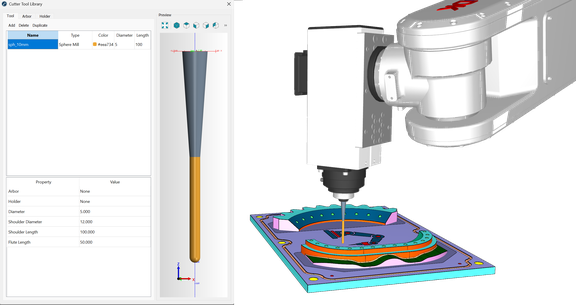
With RoboDK you can accurately define your tools for cutting, ensuring stable setups and accurate simulation of the robot machining environment.

Technical Features:

  • Configure holder, tool holder, arbor, and shaft parameters
  • Support for any cutter geometry, from end mills to multi-flute tools
  • Automatically checks to prevent holder collisions
Tool and holder management image

Master Complex Geometry with Ease

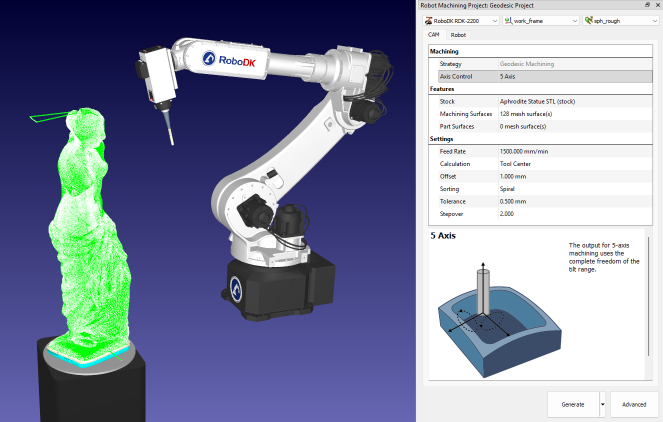
RoboDK supports advanced surface machining strategies that handle complex shapes, undercuts, blended transitions, and spline-based paths. Achieve smooth finishes on complex parts.

Technical Features:

  • Surfacing capabilities for freeform and contoured shapes
  • Efficient handling of undercuts and challenging part geometry
  • Blend and spline functions for smooth transitions and uniform finishes
  • Precision control for advanced multi-axis surface machining
Master complex geometry image

Precision Machining Made Simple

RoboDK lets you define and track stock materials, ensuring optimal tool engagement. By simulating cutting strategies like zigzag and spiral paths, you can reduce waste and maintain process stability.

Technical Features:

  • Accurate stock definition and material removal simulation
  • Zigzag and spiral toolpath patterns for efficient coverage
  • Realistic material engagement and tool load forecasting
  • Integrated stock updates for on-the-fly optimization
Precision machining image

Software Features

RoboDK offers all the features required create your Digital Twin quickly and accurately.

RoboDK robot

RoboDK Add-Ins for CAD/CAM Software

BobCAD-CAM icon

BobCAD-CAM

The RoboDK add-in for BobCAD-CAM allows you to quickly set up robot machining projects directly from BobCAD-CAM software.

inventor

Inventor

The RoboDK add-in for Autodesk Inventor allows you to combine Autodesk Inventor's 3D CAD/CAM modeling features with RoboDK for robot simulation, offline programming and robot machining.

feature-cam

FeatureCAM

The RoboDK add-in for Autodesk FeatureCAM allows you to quickly set up robot machining projects directly from FeatureCAM.

master-cam

Mastercam

The RoboDK add-in for Mastercam allows you to quickly set up robot machining projects directly from Mastercam.

fusion-360

Fusion 360

The RoboDK add-in for Autodesk Fusion 360 allows you to combine Autodesk Fusion 360 3D CAD/CAM modeling features with RoboDK for robot simulation robot machining and offline programming.

rhino

Rhino

The RoboDK add-in for Rhino allows you to combine Rhino's parametric modeling with RoboDK for robot simulation and offline programming.

hyper-mill

hyperMILL

The RoboDK add-in for OpenMind hyperMILL allows you to quickly set up robot machining projects directly from hyperMILL.

onshape

Onshape

The RoboDK add-in for Onshape allows you to combine Onshape 3D CAD/CAM modeling features with RoboDK for robot simulation robot machining and offline programming.

mec-soft

MecSoft

The RoboDK add-in for MecSoft software allows you to quickly set up robot machining projects directly from RhinoCAM and Visual CAD/CAM.

siemens-solid-edge

Siemens Solid Edge

The RoboDK add-in for Siemens Solid Edge allows you to combine Solid Edge's 3D CAD modeling features with RoboDK for robot simulation, offline programming and robot manufacturing.

solid-works

SolidWorks

The RoboDK Add-in for SolidWorks allows you to combine SolidWork's 3D CAD modeling features with RoboDK for robot simulation and offline programming.

Success Stories

RoboDK has been involved in various success stories for its customers.

NASA logo

Dual Robot Inspection with NASA

“RoboDK allowed me to easily take advantage of our robot's performance, and work with the geometrical constraints inherent with the UR10 and all attachments, by providing a user-friendly programming interface and simulation environment.”

Kane robotics logo

Kane Robotics Achieved Orbital Polishing with RoboDK

“RoboDK is the most competitively priced OLP software in the marketplace and their support of Kane Robotics has been outstanding. [The software is] great value for the low cost [and] new capabilities are being added regularly to make it easier to use with various EOATs.”

wilder systems logo

RoboDK Software Helps Cut Aircraft Washing Time by 95%

“RoboDK was the essential tool that allowed us to develop the world's first-ever robotic plane wash. Using CAD-To-Path strategies, we were able to generate robot paths that were adaptive and error-proof. RoboDK helped me transform from an entry-level programmer into an advanced programmer through their easy-to-use GUI, abundance of training resources, and phenomenal customer service.”

rob and nick carter logo

Robot Painting with Rob and Nick Carter

“I was able to glue together Autodesk Maya and RoboDK using their SDKs, to form a single elegant tool to design any kind of painting and have it painted by a robot”.

swat logo

Advanced Automation To Automotive Industry

“By combining Rhino and RoboDK we are able to offer high quality integration at an affordable cost.”

hexagon logo

Gear Repair Collaboration with RoboDK

“Using the path planner additive solution from ESPRIT/Hexagon, and the post-processor from RoboDK we saved a tremendous amount of time to program the path with a 1mm positive offset as the shape of the tooth was organic.”

comau logo

Partnership with Comau

“Thanks to the collaboration with RoboDK, a truly innovative company in robot programming and 3D simulation, it is possible for companies to create their virtual environments and simulate their applications in a matter of minutes, while using Comau's software..”